Monday, March 16, 2020

Best Inventory Management Software

Your business can’t survive without inventory. Yet so many businesses out there don’t have an effective inventory management process.

Overstocking can restrict cash flow while understocking can cause outages or loss of revenue.

The days of using a spreadsheet or the pencil and paper method to track inventory are long behind us. Inventory management software is now available for businesses of all shapes and sizes.

Features like order management, product identification, service management, and asset tracking are all common features of inventory management software.

If your business is seeking a modern way to track inventory, you’ve come to the right place.

The 8 Best Inventory Management Software of 2020

There are hundreds of different inventory management solutions on the market today. Finding the best one of your business can feel like a daunting task.

Fortunately for you, I’ve already done all of the research. Here are the top eight inventory management software solutions for you to consider:

As we continue through this guide, I’ll give you an in-depth review of each one below. You’ll learn about the top features, benefits, and costs associated with these solutions.

Best Inventory Management Software Reviews

Cin7
Cin7

Cin7 is a cloud-based inventory management system. The software is made to optimize stock while minimizing waste.

You’ll benefit from flexible control and full visibility of your inventory. The software is compatible with different inventory methods based on the type of business you have. You’ll be able to keep the perfect amount of stock to meet demand.

Cin7 has tools for inventory planning and tracking profitability costs. These resources go beyond the base cost of the average inventory value.

Tracking and control features include:

  • Barcode
  • Batch
  • FIFO and serial tracking
  • Incoming stock
  • Component stock
  • Finished goods and product bundles
  • Consignment
  • Dropshipping
  • Return inventory management

You’ll also have access to accounting features like COGS, general ledger mapping, and tax reporting.

From your warehouse to your point of sale (POS) system, Cin7 lets you manage inventory from multiple locations and channels.

Cin7 has three different packages for you to choose from:

Starter

  • Inventory management
  • Pre-order and backorder management
  • Multi-location support
  • POS built-in
  • B2B functionality
  • Product bundles
  • Inventory-specific CRM

Momentum

  • All Starter features
  • Inventory forecasting
  • Automated order splitting
  • Geo-routing
  • Multiple user support
  • Automated replenishment
  • Warehouse management

Advanced

  • All Momentum features
  • Advanced automation
  • Custom EDI integration
  • Custom retailer labels
  • Custom reporting
  • Multi-company automation

The pricing for Cin7 is customized to meet the specific needs of your own business. You can schedule a call or book a demo with the Cin7 sales team to request a quote.

Fishbowl
Fishbowl

Fishbowl software has three key software features; manufacturing, warehouse, and asset tracking.

The manufacturing solution helps you calculate inventory needs to avoid over or under-ordering. You can track inventory across each step of the operation, from the initial order to the final delivery.

This solution is also ideal for generating work orders, repairs, and replacement jobs. You’ll be able to save your most common work orders and bills of materials to use for future projects.

On the warehouse side of the operation, the software gives you real-time inventory updates.

Set up automatic reordering rules on all products to avoid running out of stock. You can also eliminate errors by using scanning barcodes.

Asset tracking gives you the ability to track items by serial numbers, lot numbers, expiration dates, and other filters. Monitor your asset levels across all locations, and even transfer inventory between multiple sites.

Fishbowl integrates with other popular solutions like QuickBooks, Salesforce, Xero, Shopify, Amazon, and WooCommerce.

In addition to the software, you can get inventory management hardware directly from Fishbowl as well. They have mobile scanner kits, retail and pocket scanners, barcode printers, and POS hardware.

Fishbowl software pricing is customized based on your needs. You can request a demo online and get a 14-day free trial as well.

Ordoro
Ordoro

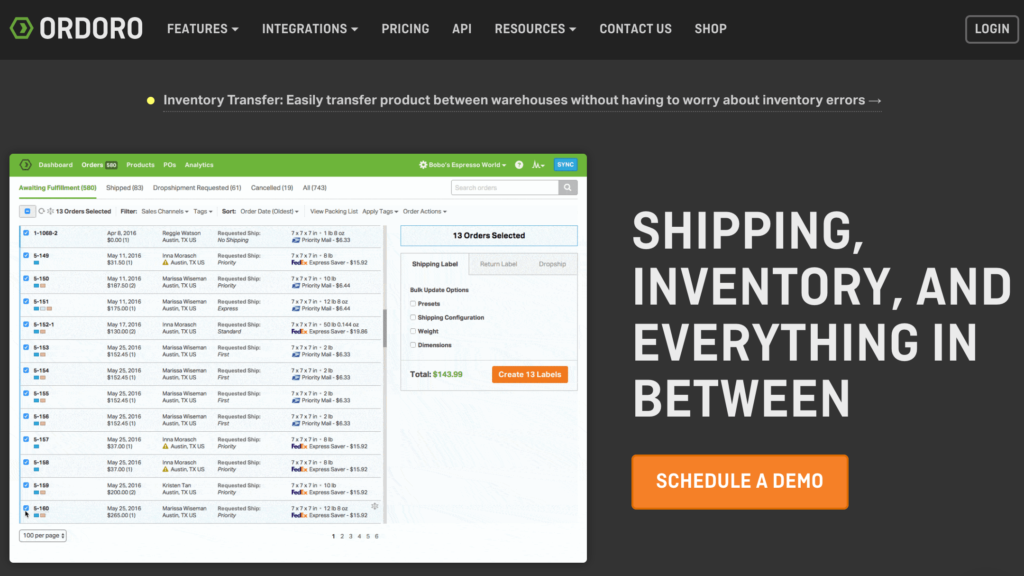
Ordoro is a centralized hub for your inventory. It’s an ideal solution for ecommerce businesses with multiple channels of inventory sourcing.

If you’re getting inventory from warehouses, suppliers, marketplaces, and fulfillment centers, everything can be managed in a single dashboard.

As a cloud-based inventory management system, you can start using Ordoro without having to download or install anything. So getting up and running is simple. For those of you who sell products direct to consumer via dropshipping, Ordoro will be a top inventory management platform for you to consider.

Once you set up all of your vendors and products, Ordoro will automatically route inventory to specific shippers. You can manage this manually as well.

Ordoro integrates with the best ecommerce platforms like:

  • Shopify
  • BigCommerce
  • WooCommerce
  • Magento
  • Amazon
  • Etsy
  • eBay
  • 3dcart
  • Squarespace

If you’re looking for a backend solution to scale your ecommerce business, Ordoro’s inventory management software is definitely for you.

Ordoro has an Express plan starting at $59 per month, but that does not include the inventory management features. To get that, you’ll need to upgrade to the Pro package, which starts at $499 per month.

If you’re a high-volume seller, contact the sales team at Ordoro to discuss custom pricing for an enterprise-level solution. You can schedule a demo for any of these plans today.

Veeqo
Veeqo

Veeqo is an inventory management solution made for retailers. In addition to inventory, the software helps you manage orders and shipping as well.

The software supports a multichannel inventory system with 16+ sales channel integrations. You can manage multiple warehouses, purchases, and suppliers too.

Its order management features handle returns, wholesale orders, and revenue reports.

Veeqo integrates with over 21 different carrier integrations. You can use the software to print shipping labels and get access to parcel tracking as well. If you’re packing items on your own, the software offers barcode scanner picking, bundled invoices, and warehouse reporting.

You’ll benefit from an enterprise-grade barcode scanner, regardless of the size of your retail operation.

Veeqo has three main packages for you to choose from. Pricing is based on order volume facilitated through the software.

Accelerator — $156 – $374 per month

  • Unlimited products
  • 2-11 users (based on volume)
  • Order rules
  • Inventory sync with 20+ marketplaces
  • 21+ shipping integrations

High Growth — $202 – $639 per month

  • 4-13 users (based on volume)
  • Purchase forecasting
  • User permissions
  • Returns management

Premium — $260 – $1,149 per month

  • 5-14 users (based on volume)
  • Digital picking
  • Stock transfer
  • Wholesale

All of the rates above are based on an annual contract. Veeqo does offer month-to-month plans at a higher rate. There is also an enterprise plan with custom pricing for retailers shipping more than 10,000 orders per month.

Overall, the flexibility of these plans allows you to choose the perfect option based on your needs.

Zoho Inventory
Zoho Inventory

Zoho is best known for its wide range of business software. Zoho Books ranks high on our list of the best small business accounting software. We even named Zoho Meetings in our guide on the best video conferencing services.

In addition to these tools for things like CRM and more, Zoho Inventory is another top software to consider from this provider.

It’s arguably the most simple solution on our list. Small businesses can keep track of every unit using the Zoho Inventory stock management tools.

You’ll also be able to manage order fulfillment and inventory from a single dashboard.

Top Zoho Inventory features include:

  • Order management
  • End-to-end tracking
  • Warehouse management
  • Accounting integrations
  • CRM integrations
  • Shipping integrations

I like Zoho Inventory because you can manage orders and track the status of shipments on the go with its mobile app, available on both iOS and Android devices.

Here’s an overview of the Zoho Inventory plans and pricing:

Free — $0

  • 20 online orders per month
  • 20 shipping labels per month
  • 20 shipment tracking per month
  • 1 warehouse

Basic — Starting at $39 per month

  • 1,500 online orders
  • 150 shipping labels
  • 150 shipment tracking
  • 2 warehouses

Standard — Starting at $79 per month

  • 10,000 online orders
  • 1,000 shipping labels
  • 1,000 shipment tracking
  • 5 warehouses
  • Serial number tracking
  • Batch tracking

Professional — Starting at $199 per month

  • 30,000 online orders
  • 3,000 shipping labels
  • 3,000 shipment tracking
  • 10 warehouses
  • Serial number tracking
  • Batch tracking

As you can see, there’s a plan for everyone based on the size of your business.

In addition to other Zoho products, Zoho Inventory integrates with popular tools like Shopify, PayPal, Amazon, eBay, Stripe, and Etsy.

inFlow
inFlow

With inFlow inventory management, you’ll be able to manage all of your products in one place. Whether you’re buying, selling, or moving, the inFlow software can help you track it.

From products to prices and stock levels, inFlow lets you manage everything from all of your devices.

The software can be compared to a business intelligence service. As a business owner, you will always know what products are in stock, what items have been reserved, and what products have been ordered.

The simplicity of inFlow’s system means large orders or shipping delays won’t catch you off guard and cause a bottleneck in your process.

Big names like AT&T, NASA, Volvo, 7-Eleven, and Panera have all used inFlow for inventory management.

You’ll be able to see the history of every single product. Stuff like FIFO and LIFO will automatically get calculated for you as well.

inFlow inventory management is commonly used for warehouses, manufacturing, wholesale, asset tracking, and job site management.

Here’s a brief overview of the software’s plans and prices:

Light — $71 per month billed annually ($79 month-to-month)

  • 2 team members
  • 1 location
  • Up to 100 orders per month
  • 2 integrations

Standard — $179 per month billed annually ($199 month-to-month)

  • 5 team members
  • Unlimited locations
  • Up to 500 orders per month
  • 3 integrations
  • User access rights
  • B2B showroom portal

Plus — $359 per month billed annually ($399 month-to-month)

  • 10 team members
  • Unlimited locations
  • Up to 1,000 orders
  • Unlimited integrations

There are optional add-ons available for things like bill of material and workers. You can try any of these plans free for 14 days.

Unleashed
Unleashed

Unleashed provides industry-specific inventory management software for the following business types:

  • Manufacturing
  • Wholesale
  • Distribution
  • Retail
  • Food manufacturing
  • Brewing
  • Coffee roasting
  • Health and supplements
  • Lighting

It’s an ideal solution for manufacturers and those of you who sell products through a B2B ecommerce website.

You can use this inventory management solution to automate your entire B2B selling process. The streamlined process makes it easy for you to fulfill sales orders accurately and efficiently.

Manage everything you need directly from the Unleashed Sales mobile app.

Unleashed integrates with popular business solutions like Shopify, Xero, QuickBooks, Amazon, Zapier, and more.

Accurate inventory tracking is a significant standout of the Unleashed software. You’ll get real-time results in addition to powerful analytics for wholesale, distribution, and retail sales channels.

Here are the price points for Unleashed inventory management:

  • Medium — $259 per month billed annually ($279 month-to-month)
  • Large — $499 per month billed annually ($549 month-to-month)
  • Large Plus — $819 per month billed annually ($899 month-to-month)

The differences between the plans are largely based on the number of users you have. All plans come with unlimited products, customers, suppliers, transactions, integrations, and warehouses.

Finale Inventory
Finale Inventory

Finale Inventory is a centralized solution for your small business. The software has a wide range of tools, features, and benefits, including:

  • Order management
  • Wireless barcode scanning
  • Multichannel integrations
  • Warehouse management
  • Powerful reporting
  • Purchasing and replenishment
  • Kitting and bundles for ecommerce
  • Serial number tracking

Finale Inventory has five different plans to accommodate the needs of all business sizes. All come with multi-location support, up to 100,000 items, inventory management, and order management.

Bronze —- $99 per month (or $999 per year)

  • Best for small business
  • 2 users
  • 1,000 orders per month
  • 2 integrations

Silver — $275 per month (or $2,750 per year)

  • Best for ecommerce
  • 6 users
  • 5,000 orders per month
  • 4 integrations

Gold — $449 per month (or $4,490 per year)

  • Best for barcoding needs
  • 8 users
  • 10,000 orders per month
  • 8 integrations
  • 4 barcoding licenses

Platinum — $649 per month (or $6,490 per year)

  • 12 users
  • 20,000 orders per month
  • Unlimited integrations
  • 8 barcoding licenses
  • API access

Custom — Custom pricing

  • Best for high volume and Fortune 500
  • Up to 300 users
  • Up to 800,000 orders per month
  • 1.5 million items
  • Master service agreement
  • Advanced security controls

Contact Finale Inventory to request a demo and free trial.

How to Choose the Best Inventory Management Software For Your Business

What’s the best inventory management software for your business? The answer will be different for everyone. This is the methodology that we recommend to narrow your choices.

Automation

Manual inventory management is outdated. Even if you’re using software, you want to make sure that the majority of your processes have been automated.

Each time a piece of inventory is sold, returned, or moves from one location to another, the system should automatically update. Inventory automation will also help improve the accuracy of your stock management.

Integrations

The inventory management and automation features are useless if you still need to complete manual tasks elsewhere.

Look for inventory management software that integrates with other tools that you’re already using. I’m referring to things like to accounting software, ecommerce platforms, and CRM.

Features

The best inventory management software on the market today has a wide range of features. Some of the top ones to keep an eye on include:

  • Inventory costing (LIFO, FIFO, etc.)
  • Location tracking
  • Stock tracking
  • Product categories
  • Barcode scanning

Depending on your unique circumstances, you may or may not need some or all of these features.

Business Type

Some software is made for certain types of businesses and industries. For example, manufacturers and wholesalers have different inventory needs than small business retailers.

A B2B ecommerce website would have different needs than a traditional B2C ecommerce operation. So look for a software that specializes in your business type and industry, if possible.

Price

The price for inventory management software varies quite a bit. We’ve reviewed solutions that are free or start at $39 per month. Other options on our list cost more than $1,100 per month.

Most of you will likely fall somewhere in between these two extremes. Pricing usually varies based on features, users, and volume.

Conclusion

With so many inventory management solutions to consider, there are really only eight options that I can confidently recommend. Here’s a recap of the ones we reviewed above:

  • Cin7 — Best overall inventory management software.
  • Fishbowl — Best inventory management software for manufacturers and distributors.
  • Ordoro — Best inventory management for scaling ecommerce shops.
  • Veeqo — Best inventory management software for high-volume retailers.
  • Zoho Inventory — Best inventory management software for growing businesses.
  • inFlow — Best inventory management software for small business.
  • Unleashed — Best inventory management software for B2B ecommerce sites.
  • Finale Inventory — Best cloud-based high-volume inventory management.

From small business retailers to high-volume distributors, there’s an option for every business on this list.


from Quick Sprout https://ift.tt/3d50zU4
via IFTTT

Best Lead Generation Companies and Services

Lead generation is the lifeline of your business. Without qualified leads, you’re wasting valuable resources trying to sell in the dark.

There are hundreds of different lead generation companies and services on the market today. But not all of them deliver quality leads.

As I’m sure you know, 1,000 qualified leads are much more valuable than 10,000 random email addresses.

Whether launching a startup company or have a well-established business, your organization needs customers to survive. The right lead generation service can deliver what you need to make your business thrive.

The Best Lead Generation Companies and Services

With so many lead generation companies to choose from, narrowing your search can seem like a tall task. Fortunately, you’ve come to the right place.

I’ve already done all of the extensive research required to find the best lead generation services. After countless hours of investigating, I found seven that I can confidently recommend.

I’ve provided an in-depth review for each one of these lead generation companies below. These reviews will help you identify the best lead generation service for your business.

The Best Lead Generation Companies and Services Reviews

LeadGeneration.com

Leadgeneration.com

LeadGeneration.com is a top choice for any business to consider. They provide services to well-known brands like Aeropostale, Toshiba, and J.G. Wentworth.

When you work with LeadGeneration.com, you’ll get a dedicated project management team.

The team will customize a lead development strategy that’s specific to your organization. So you won’t be getting a general list of leads that can be used for any purpose.

Leads are developed and delivered to you in real-time. You can get those leads via email, text, or directly to your integrated CRM platform. LeadGeneration.com is compatible with CRM software like:

  • Salesforce
  • HubSpot
  • Highrise
  • Zoho
  • Infusionsoft
  • Pipedrive
  • Sugar CRM

If your company uses a different system, talk to the LeadGeneration.com sales team about a custom integration, and lead delivery method.

Your project management team at LeadGeneration.com will help you develop custom campaigns for lead generation. They take a multi-channel approach, specializing in campaigns related to:

  • Search engine optimization (SEO)
  • Social media
  • Paid search
  • Whitepapers
  • PR and brand awareness
  • Content distribution
  • Web development
  • Email marketing
  • Lead nurturing
  • Call tracking
  • Landing page creation
  • Appointment setting
  • Lead follow-up

Like most lead generation companies, pricing is not available online. You’ll need to request a custom quote based on your needs. Fortunately, you can get a free consultation by answering a few basic questions.

Just provide your name, company name, phone number, email, customers (B2B, B2C, both), and your monthly budget. Budget options range from less than $1,000 to $10,000+.

Callbox

Callbox

Callbox specializes in B2B lead generation. If you own or manage a small or medium-sized enterprise, Callbox will be a top solution for you to consider.

Big brands like Forbes, eBay, ADT, HP, DHL, and Motorola have all used Callbox for generating business leads.

I like this company because they have niche-specific lead generation services. Not only does Callbox provide leads to B2B organizations, but more specifically, they provide B2B leads in the following categories:

  • IT and Software
  • Consultancy
  • Healthcare
  • Finance
  • Advertising

When you first start working with Callbox, they’ll compile a list of companies that match your target business profile. Callbox takes that to the next level by identifying the key stakeholders and prospects within those organizations.

Callbox will engage with those prospects across all channels using various forms of media communication.

Setting appointments and confirming those meetings with a qualified lead is the final step of their process.

By the time you speak with a lead, they’ve already gone through several stages with Callbox. These leads are primed and ready to be sold.

In addition to lead generation, Callbox provides database solutions, event marketing services, and account-based marketing. They take the heavy-lifting off of your plate for B2B lead generation.

Upcall

Upcall

Upcall combines robust technology with the help of high-quality sales professionals to generate leads. It’s trusted by brands like LG, Airbnb, QuickBooks, and Farmers Insurance.

Here’s how it works.

Upcall provides your business with a team of professional callers. You’ll be able to view and monitor their results in real-time with Upcalls intuitive software.

They essentially provide everything you need to engage with a contact, without actually having to make those calls on your own.

I like Upcall because they waste no time contacting leads. Each time a new lead comes in, Upcall contacts them within seconds.

The calls are made by seasoned veterans. More than one million calls have been made by the professionals at Upcall.

Upcall services are broken down into four main categories:

Lead Generation

  • Cold calling
  • Candidate screening
  • Appointment setting
  • Telemarketing
  • Sales outsourcing

Lead Qualification

  • Facebook leads
  • Appointment scheduling and confirmation
  • Lead nurturing
  • Cross-selling and upselling

Market Research

  • Phone surveys
  • Stock check
  • Mystery shopping
  • Data collection
  • Fundraising

Customer Engagement

  • Customer feedback
  • Customer retention
  • Event follow-up
  • Payment reminder
  • Customer surveys

As you can see, Upcall can be used throughout the entire customer journey process. From lead generation to customer feedback, this service has everything you need.

Cience

Cience

Cience is another lead generation company geared toward B2B organizations. Like other options on our list, the service combines human intelligence with machine learning.

The Cience core values include data analytics, high accuracy, account-based marketing, filters, and targeting.

There are four different “people-as-a-service” (PaaS) models for you to consider:

SDR Team

  • 2 dedicated staff members (researcher and SDR)
  • 3-month pilot program
  • Guaranteed 40 hours per week per person
  • Roughly 1,000 leads per month
  • Max 25 SDR teams per company

Inbound SDR Team

  • 1 dedicated staff member (inbound sales assistant)
  • Monthly service fee
  • Guaranteed 40 hours per week
  • Max 15 inbound SDR’s per company

Research

  • 1 dedicated staff member (researcher)
  • Monthly service fee
  • Guaranteed 40 hours per week
  • Roughly 750-1,250 leads per month
  • Max 10 researchers per company

CIENCE Now

  • Unlimited staff
  • Cost based on contract
  • Weekly, monthly, and per project lead list deliverability
  • Outputs based per contract

Based on your organization’s needs, you can customize your PaaS plans for outsourced lead generation. You might choose one or several of the teams above.

Cience offers solutions for business owners, sales teams, and marketing managers as well.

With Cience, you can keep your sales team selling at all hours of the day. Research prospecting and lead response can be left up to the outsourced team at Cience.

DiscoverOrg

DiscoverOrg

DiscoverOrg is a business contact database. It’s used by more than 15,000 sales and marketing teams.

The platform connects you directly with B2B leads who are decision-makers. In addition to the lead contact, DiscoverOrg will provide you with company data and sales intelligence to give you actionable information before pitching a prospect.

DiscoverOrg guarantees that their data is at least 95% accurate. The process they use combines humans with technology and research.

Specialties and areas of expertise from DiscoverOrg include:

  • Sales leadership
  • Sales development
  • Marketing and demand generation
  • Sales and marketing operations
  • Recruiting

It’s a cloud-based platform that’s simple and easy for anyone to use. The database will give you an edge over your B2B competitors.

A cool aspect of DiscoverOrg is its free trial. You don’t really see that too often in the lead generation service space. So for those of you who are on the fence, you can check it out with no commitment.

The free trial will include:

  • Department-level organization chart
  • Verified email addresses
  • Direct line phone numbers
  • Buying signals and intent data
  • Firmographic and technographic details
  • Job responsibilities and functions

As you can see, the trial is no joke. It gives you a true depiction of what the actual database will provide you with, just at a smaller scale as a sample.

CandorWorks

Candorworks

CandorWorks allows your team to focus on sales while they handle the lead generation process.

The company specializes in integrated demand generation. This allows them to deliver a consistent stream of high-quality leads to your business.

CandorWorks guarantees 100% accuracy with their lead information. If you find any invalid leads, CandorWorks will replace them. You’ll only pay for the leads generated. They’ll also assist you with strategic guidance, planning, execution, and follow-up for your lead generation campaigns.

I like CandorWorks because they have different pricing models that meet the needs and preferences of various organizations:

  • Retainer based
  • Fixed fee
  • Project based
  • Performance based

In addition to lead generation, CandorWorks provides marketing data management services, account-based marketing, and MarTech management.

CandorWorks is a global brand. They work with media agencies and publishers throughout North America, Europe, Asia, Australia, Africa, South Asia, and the Middle East.

Engagement with CandorWorks is extremely flexible. You can easily ramp-up or ramp-down based on your needs. There are no upfront fees to sign up. You’ll only pay for qualified leads.

Overdrive Interactive

Overdrive Interactive

Overdrive Interactive specializes in end-to-end lead and demand generation for enterprise-level organizations. The service helps you maintain and optimize your most powerful lead generation channels.

The approach starts with each stage of the customer journey. From a prospect’s first impression to the final nurture message that ultimately converts, Overdrive Interactive will be there each step of the way.

Overdrive Interactive will engineer an end-to-end marketing system for lead generation that syncs with your company’s sales efforts.

The multi-channel approach for generating leads and demands includes:

  • Account-based marketing
  • Paid search
  • Search engine optimization (SEO)
  • Retargeting
  • Inbound marketing
  • Social media marketing
  • Paid social media management
  • Email list rental
  • Newsletter sponsorship
  • Content development
  • Marketing automation
  • Landing page development and testing
  • Mobile advertising
  • Native ads and digital PR

Global giants across finance, healthcare, tech, and consumer industries trust Overdrive Interactive for lead generation. Some of their most well-recognized clients include Dell, GE, Samsonite, IBM, John Hancock, AIG, and Harley Davidson.

How to Find the Best Lead Generation Company and Service For Your Business

Finding the best lead generation service for your business might seem like a tall task. But there are certain factors that you can use to assist with your decision-making process.

This is our methodology for narrowing down your options:

Niche Specific

I’d stay away from lead generation companies that are for “everyone.” You won’t be able to get the most qualified and accurate leads this way. Some services specialize in B2B, while others are better for small businesses and B2C organizations.

Look for a lead generation company that has experience in your industry. Whether it’s technology, healthcare, or retail, look for a service in your niche.

Lead Generation Process

Lead generation methodology is not created equally. Every service seems to have a unique twist on how they come up with leads. You should pick a company based on how you want to have your leads delivered.

Some organizations will simply provide you with a list of leads and contact information. Other services take the extra step by contacting those leads and setting appointments for you.

There are lead generation companies that provide PaaS (people-as-a-service), which essentially means you’re outsourcing a full-time lead generation staff.

Do you just want leads delivered? Or do you want lead scoring data and lead nurturing assistance? These are the types of questions you need to ask yourself when evaluating a company’s lead generation process.

Competitive Price

Unfortunately, most lead generation services do not post their prices online. That’s because they offer a unique quote based on your custom needs.

So you might want to get a quote from at least a couple of your top considerations. The price needs to be reasonable and fit within your budget. Otherwise, the lead generation service could negatively impact your ROI.

Some companies offer flexible pricing options. You might only pay for qualified leads. Others will bill you on a monthly or contract basis per campaign.

Reputation

Every lead generation service is going to do a great job of selling themselves on their website. But you should do some digging on your own before you make a final decision.

Look up any case studies, customer reviews, and testimonials to learn how that organization has actually helped businesses generate leads. If you can’t find that information online, you should consider looking for an alternative service.

Conclusion

A lead generation service can drastically improve your sales process. You’ll benefit from qualified leads, and your sales team can spend more time selling.

With countless lead generation companies on the market today, there are really only seven that I’d recommend.

  • LeadGeneration.com — On-demand lead generation with CRM integration.
  • Callbox — Best B2B lead generation with appointment setting.
  • Upcall — Best service for outsourcing your sales calls.
  • Cience — PaaS (people-as-a-service) for B2B lead generation.
  • DiscoverOrg — Best business contact database.
  • Candorworks — Flexible pricing models best for media agencies and publishers.
  • Overdrive Interactive — End-to-end demand generation for enterprises.

No matter your business structure or what type of industry you’re in, I’m sure you can find what you’re looking for on this list.


from Quick Sprout https://ift.tt/3b0KuNj
via IFTTT

Wednesday, March 11, 2020

The Best VOIP Phone Services For Your Business

Want to jump straight to the answer? The best VOIP phone service for most small businesses is Ooma VoIP.

VoIP phone systems have been growing in popularity for businesses. That’s because these services are simple, cost-effective, and offer a wide range of features.

What is a VoIP phone system?

VoIP stands for “voice over Internet protocol.” The definition is exactly what it sounds like. Instead of a traditional phone line, VoIP systems use digital signals.

Even incoming calls from a non-VoIP number can be converted to a digital signal. So you can still receive calls from anyone, regardless of their phone system.

If you’re in the market for a new business phone service, this guide will help you find the right VoIP phone system for you.

Top 10 Best VOIP Phone Systems in 2020

With dozens of VoIP phone services on the market today, narrowing down your options can be a challenge. Fortunately, we’ve done all of the research and heavy lifting for you.

Below are the top ten VoIP phone systems that we recommend here at Quick Sprout.

I’ll give you an in-depth review of each one too. I’ll cover the pricing, features, benefits, and anything else that should be taken into consideration as well.


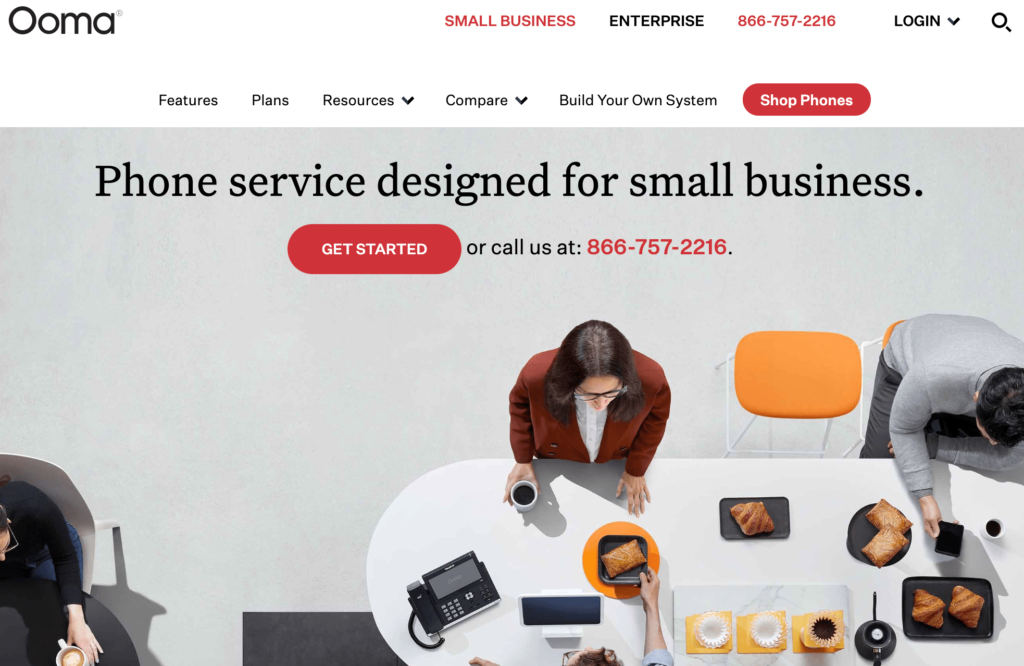
Ooma

Ooma VoIP is best for smaller businesses and startups. Whether you want to keep your existing number or get a new one, Ooma can get you set up in less than 15 minutes.

Some of the top small business features of Ooma VoIP include:

  • Free mobile app
  • Virtual receptionist
  • SMS messaging
  • Spam call blocking
  • Call recording
  • Multi ring
  • Company directory
  • Custom extensions

I like Ooma because you can get a great rate without a long-term contract. There are two main business phone plans offered by this provider:

  • Ooma Office — $19.95 per month per user
  • Ooma Office Pro — $24.95 per month per user

Ooma

To me, the Office Pro plan is worth the extra $5. This plan comes with the most advanced features like call recording, call blocking, and voicemail transcription.

For small businesses looking for an all-in-one solution, you can use Ooma to build your own system from scratch. This will include hardware, separate conference phones, and a physical fax machine if needed.

If you’ve got a small company with five or ten employees, Ooma VoIP is a top choice for you to consider.


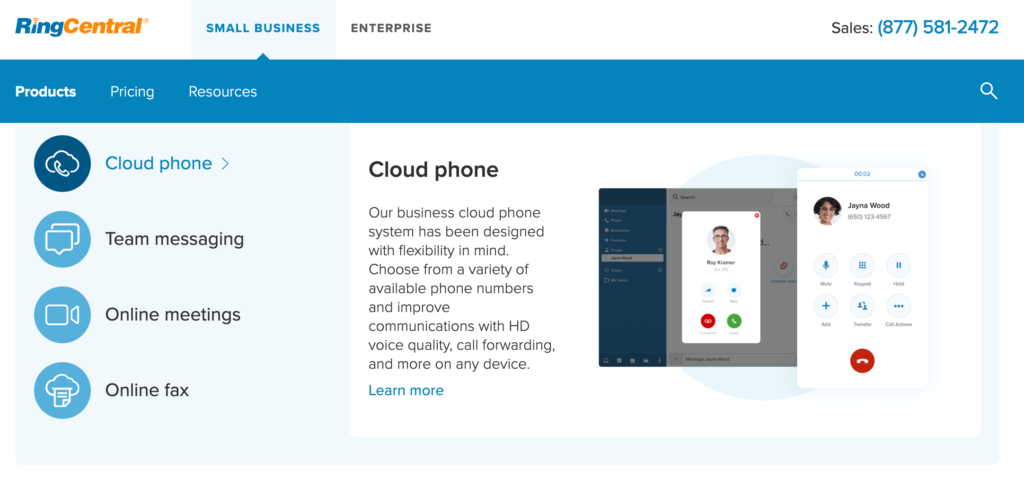
RingCentral

RingCentral is the best overall VoIP phone system. They offer a wide range of features and services to meet the needs of any business, regardless of its size.

To get started, you can easily use your existing phone number and preconfigured phones to make and receive calls over the Internet. You don’t need any complex hardware.

A top benefit of using RingCentral is the ability to access your business line from anywhere. You can use the phone service from any device.

In addition to traditional phone calls, RingCentral offers a wide range of business phone needs. You can have access to messaging and video conferencing as well. In fact, RingCentral also ranked first on our list of the best video conferencing services.

Whether you’re looking for an all-in-one calling solution, or VoIP phones only, RingCentral has you covered.

RingCentral

Pricing for a phone plan starts at $29.99 per month per user. But that’s for a month-to-month contract. You can save 33% with the annual rate.

If you have 20 or more users, you’ll need to upgrade to an all-in-one plan, which starts at $24.99 per month per user with an annual contract.

RingCentral has everything you need and more in a VoIP phone system.


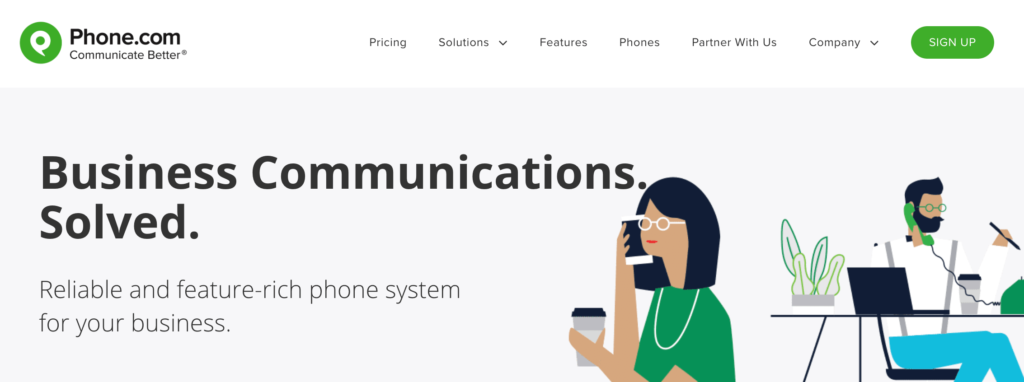
Phone.com

If you’re on a budget, Phone.com has some of the most cost-effective VoIP phone plans on the market today.

There are definitely cheaper plans offered elsewhere, but none that I would recommend. With Phone.com, you know you’re getting high-quality service from a reputable provider.

Phone.com

Here’s a brief overview of the pay-per-minute plans and pricing. All rates are for annual contracts.

Base — $9.99 per month

  • 300 minutes per month
  • Unlimited user extensions
  • 1 local or toll-free number
  • 5,000 SMS messages
  • 40+ standard features

Plus — $14.99 per month

  • 500 minutes per month
  • Unlimited user extensions
  • 2 local or toll-free numbers
  • 10,000 SMS messages
  • Automated voicemail to text
  • Premium hold music

Base — $29.99 per month

  • 1,000 monthly minutes
  • Unlimited user extensions
  • 3 local or toll-free numbers
  • 20,000 SMS messages
  • 300 call recording minutes
  • Call analytics
  • HD video conferencing

While the plans are affordable, they are definitely limited. If you’re going to exceed those monthly minute restrictions, you can consider switching to a Phone.com unlimited plan.

The unlimited plans start at $24.99, $32.99, and $49.99 per month, respectively. They are nearly identical to the plans listed above, except you’ll get unlimited monthly minutes.


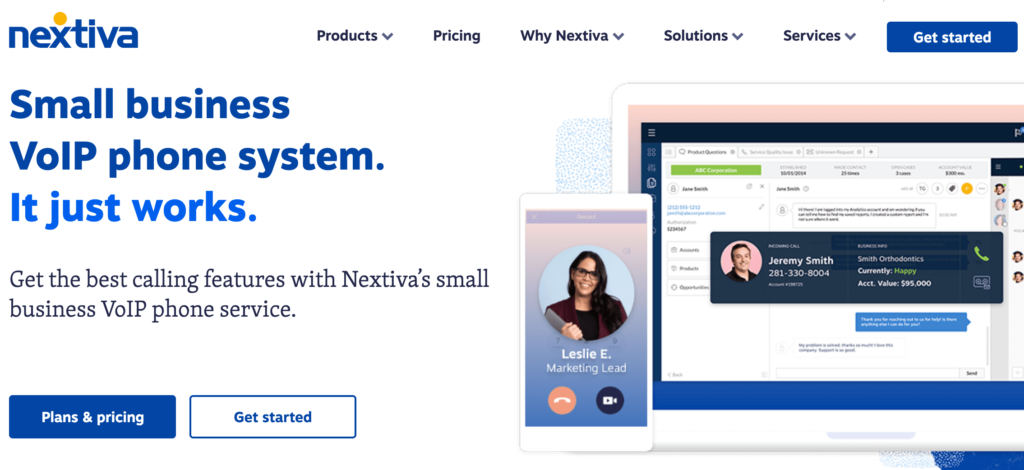
Nextiva

Nextiva has a wide range of product offerings. In addition to its VoIP phone services, the company provides sales and service CRM software.

The plans from Nextiva can be segmented into two main categories; small business and enterprise.

Like most VoIP phone services, the rates vary based on the number of users you have and the length of your contract. Nextiva has month-to-month and annual rates.

The basic small business package starts at $26 per month per user for 5-19 users. The same plan drops to $22 per month if you have 20-99 users.

Nextiva

Some of the top Nextiva features include:

  • Nextiva desktop and mobile app
  • Text messaging
  • Auto attendant
  • Voicemail to email
  • Unlimited calling
  • Call queuing

While Nextiva is definitely a viable option for small businesses, they offer exceptional plans for enterprises and call centers. It’s used by big national brands like Taco Bell, Stanley Steamer, and DirectBuy, and Ashley HomeStore.

Call center plans start at $50 per month per user, and enterprise rates start at $100 per month per user. These rates can save you tons of money for a large-scale calling operating.

Nextiva is easy to use and provides high-quality customer service. From small businesses to enterprises, Nextiva is a top choice consider.


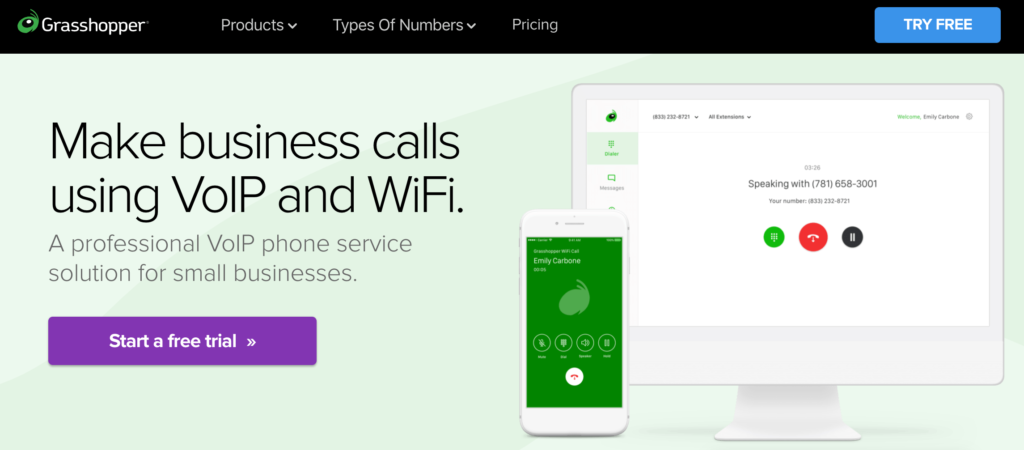
Grasshopper

For those of you who need a business VoIP system for calls on the go, Grasshopper will be a top choice to consider.

Lots of VoIP phone services have a mobile app, but Grasshopper really stands out from the crowd. You’ll be able to use Grasshopper with your existing phone; no additional devices are required.

Grasshopper

The setup process is extremely simple.

Just choose the app (Grasshopper or Grasshopper Connect) based on your business needs. Then select a number (toll-free, vanity, local, current number) and download the app. Then you can start calling and texting using your number right away.

You can try using Grasshopper for free with a 7-day trial. No credit card required.

Assuming you’re happy with the service (which I’m sure you will), here’s an overview of the paid plans and pricing:

Grasshopper Solo

  • $29 per month ($26 with annual contract)
  • 1 number
  • 3 extensions

Grasshopper Partner

  • $49 per month ($44 with annual contract)
  • 3 numbers
  • 6 extensions

Grasshopper Small Business

  • $89 per month ($80 with annual contract)
  • 5 numbers
  • Unlimited extensions

Grasshopper Connect

  • $39 per month ($35 with annual contract)
  • 1 number
  • Email, text, and phone integration

As you can see, the Grasshopper plans are perfect for smaller organizations, startups, and solo entrepreneurs. The fact that you can sign up and use your VoIP phone service without any additional hardware is a huge bonus.


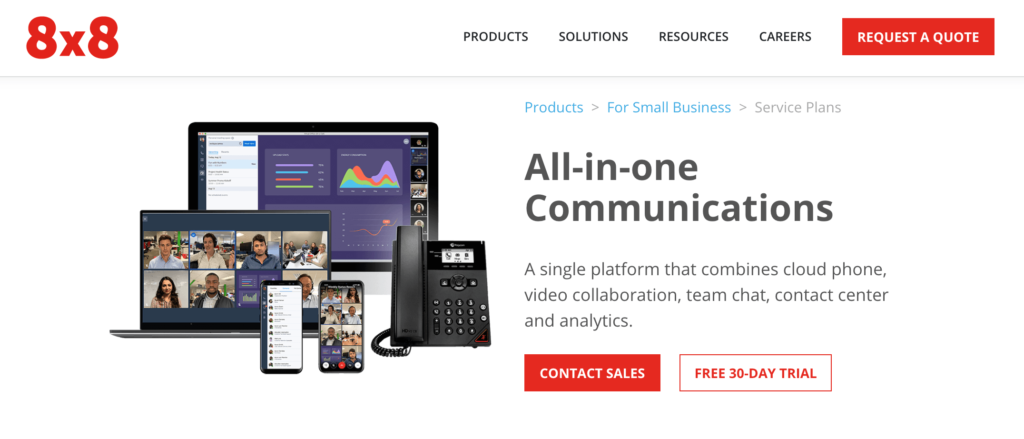
8×8

8×8 has more than one million business users across the globe. It’s trusted by international brands like McDonald’s, Regus, and NetSuite.

They offer a wide range of phone services, including VoIP phones, contact centers, and video conferencing. I’d recommend 8×8 to small and medium-sized organizations that need international calling capabilities.

8x8

Here’s an overview of the small business pricing plans for all-in-one communications.

8×8 Express — $12 per month per user

  • Unlimited calling in the US and Canada
  • Auto attendant
  • HD secure voice
  • Voicemail
  • Team messaging
  • HD audio and video meetings with screen sharing
  • Mobile and desktop apps

X Series X2 — $25 per month per user

  • Unlimited calling within 14 countries
  • Advanced caller ID, call forwarding, and call queues
  • Voicemail transcription
  • Single sign on and CRM integration
  • Call recording
  • Unlimited Internet fax
  • Cross-platform team messaging

X Series X4 — $45 per month per user

  • Unlimited calling within 47 countries
  • All X2 features
  • Operator switchboard
  • Analytics and call quality reporting

X Series X6 — $115 per month user

  • Unlimited calling within 47 countries
  • 4,000 minutes of contact center calling zone within 47 countries
  • Skills-based routing
  • Interactive voice response
  • Queued and web callback
  • Post call surveys
  • Native CRM
  • Contact center reports and analytics

If your organization has more than 100 users, you can contact the 8×8 sales team for a quote on an enterprise VoIP phone solution.


Vonage

In terms of flexibility and product offerings, Vonage is second to none for business VoIP plans. They offer a wide range of communication packages, including:

  • Business phone systems
  • Office phone systems
  • Contact center solutions
  • Mobility
  • Conferencing
  • Marketing automation
  • Phones, accessories, and other hardware

Vonage integrates with popular tools and technology like G Suite, Salesforce, Office 365, Slack, and HubSpot.

Vonage

Another unique standout of Vonage is that the company offers industry-specific solutions as well as services based on business needs. For example, they have tools for accounting, law firms, healthcare, retail, real estate, and more.

The company also has tools for things like reducing communication costs, starting a call center, recording employee calls, or connecting virtual teams.

For VoIP phone plans, Vonage has three main plans; Mobile, Premium, and Advanced.

The rates vary based on how many lines you need, so there are a wide range of prices offered. To give you some perspective, here are the rates of each plan for businesses who need 20+ lines:


  • Mobile — $14.99 per month per line
  • Premium — $24.99 per month per line
  • Advanced — $34.99 per month per line

If you need four lines or less, those rates would jump to $19.99, $29.99, and $39.99, respectively.

Based on the pricing structure and wide range of product offerings, Vonage is the perfect VoIP phone solution for growing businesses.


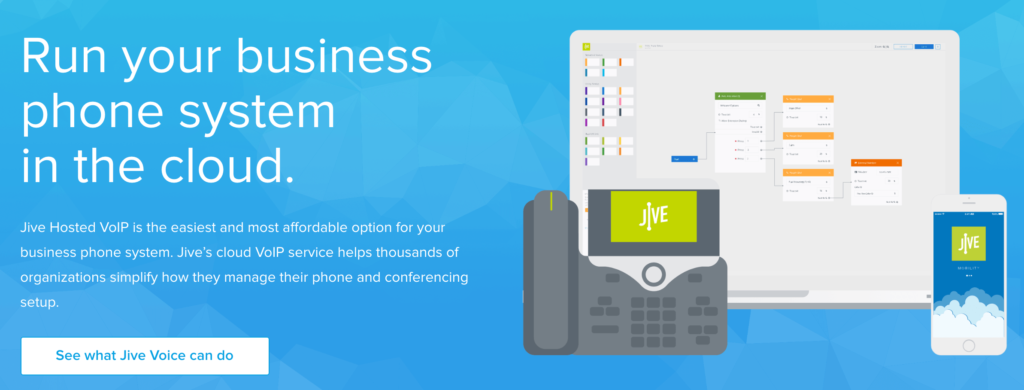
Jive

Jive is an affordable VoIP phone service with arguably the most extensive feature list on the market today. It’s tough to get Jive’s offerings at a better price point elsewhere.

The platform has solutions for small businesses, mid-market and enterprise, as well as products for voice, video, contact centers and more.

Jive

But for now, we’ll just stick to the VoIP phone features:

  • Auto attendants
  • Custom greetings
  • Time-baed routing
  • Virtual fax
  • Voicemail to email
  • Fax to email
  • Hold music
  • Call recording
  • Call queues
  • Call analytics
  • Desktop integration
  • Conference bridge

The list is seemingly a mile long. In fact, there are over 80 different VoIP phone service features available with Jive. The best part? Features are all-inclusive with all Jive plans.

Pricing is based on the number of users you have, and ranges between $19.95 and $29.95 per month, per user. No long-term contracts or annual commitments. All plans are available month-to-month.

If you need a phone plan with 100+ users, contact Jive for a custom quote.


1-VoIP

1-VoIP has been providing phone services for 10 years. On average, business customers switching to 1-VoIP save 53% compared to their current plan, which makes this provider one of the most cost-effective options on the list.

Some of the top 1-VoIP business features include:

  • Call recording
  • Hold music
  • Virtual fax
  • Auto attendant
  • Hours of operation
  • Queues
  • Extension transfers

While 1-VoIP does have some traditional plans, I’d recommend the metered pricing option. This will be the best choice for businesses that only want to pay for what they use.

1-VoIP

If you’re a low-volume caller, the base rate is $14.97 per month for each extension. From there, you’ll pay just $0.02 per minute.

The package comes with all features included. There are no long-term contracts and no cancellation fees either.


Mitel

Mitel offers a VoIP phone service that runs on Google Cloud. So you know that you’re getting support from an industry leader in reliability, scalability, and security.

It has a modern interface that’s extremely easy to use. You’ll benefit from real-time management and a seamless experience across all of your devices.

Mitel is an all-in-one solution for communication, collaboration, and contact center services. It’s used by well-known names like Netflix, Smile Doctors, and Rewards Network.

Mitel

Here’s a brief overview of the plans and pricing:

Essentials — Starting at $20.99 per month per user

  • Unlimited minutes
  • 8-party audio conferencing
  • Instant messaging
  • Mobile apps
  • Outlook and G Suite integration

Premier — Starting at $26.59 per month per user

  • Unlimited minutes
  • 25-party audio conferencing
  • Salesforce CRM integration
  • Voicemail transcription
  • On-demand call recording

Elite — Starting at $38.49 per month per user

  • Unlimited minutes
  • 100-party audio conferencing
  • Constant call recording
  • Archiving
  • Operator

As you can see, Mitel has the ability to meet the needs of multiple business types and sizes. It’s a top solution for anyone who wants to take advantage of Google’s Cloud reliability.

How to Choose the Best VOIP Phone Service For Your Business

Now that you’ve had a chance to see some of the top VoIP phone services on the market today, it’s time to choose one for your business.

This is the methodology that we used to narrow our options. We recommend that you do the same for your business.

Hardware Requirements

Not every VoIP phone service is created equally. Some will allow you to use your existing hardware, while others will require you to get specific devices.

There are even VoIP business plans with no hardware requirements. You can simply make and receive calls directly from the mobile app.

It all depends on the needs of your business. A solo entrepreneur and an enterprise-grade calling center will obviously have different hardware preferences.

Pricing

For the most part, VoIP business plans are priced based on the number of users or lines you have. The more lines you need, the lower the per-user cost will be.

Some services charge you per-use, some give you unlimited minutes, and others provide minute restrictions based on your plan.

It’s important that you find a price point that’s within your budget, while still meeting your needs. If you’re a low-volume caller that only makes and receives two or three calls per day, you probably won’t need an unlimited plan.

You should also consider the length of your contract. Some companies force you to sign an annual contract to get the best rate, while others bill month-to-month.

Setup and Ease of Use

In theory, VoIP phone services are supposed to be easier than a traditional business landline. So avoid companies that have a lengthy setup process and complex functionality.

You can usually request a demo or free trial to test out a service before you commit.

See what the company’s existing customers say about the products and services by reading third-party reviews.

Features

It’s easy to get drawn toward a VoIP phone service with an extensive feature list. But with that said, you might not need every feature under the sun.

While some of these will definitely be useful, think about which ones you actually want or need. There’s no reason to pay extra for features you’ll never use. Feature lists are always a top selling point, but focus in on the features that will help your business.

Some services provide features all-inclusive, and others offer features based on your package.

Conclusion

If your business is ready to make the switch to a VoIP phone service, then the options above are the top ten that I’d recommend.

Overall my top 2 favorites are Ooma VoIP and RingCentral. Compare them all to find the best for you.

No matter how big or small your business is, I’m confident that the perfect VoIP phone for your company can be found on this list.


from Quick Sprout https://ift.tt/3cPX9nZ
via IFTTT

Friday, February 28, 2020

Best Credit Cards for Startups in 2020

Getting a business credit card is one of the first things you should do when launching a startup.

In most cases, this credit card will be the primary method of paying company expenses. From daily purchases like ink or paper to flights, hotels, and your phone subscription, charging a credit card is your best option.

That’s because the best business credit cards offer exceptional benefits like cash back, rewards points, and travel miles.

Some company credit cards can provide purchase insurance as well as supplementary coverage for car rentals. You can even use a low-interest credit card to finance purchases if struggling to qualify for a small business loan.

With so many business credit cards to choose from, it can be tough to find the best option for your startup, which is what inspired me to create this guide.

The 8 Best Credit Cards For Startups in 2020

In a market flooded with hundreds of business credit cards, there are eight that I would recommend for startup companies.

I’ll highlight the top benefits, introductory offers, costs, and notable terms for each one as we continue below.

Best Startup Business Credit Card Reviews

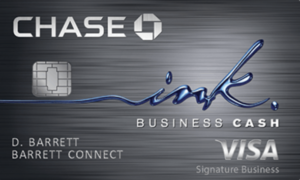
Chase Ink Business Cash

Chase Ink Business Cash Credit Card

Chase Ink Business Cash is the best overall credit card for startup companies. It has exceptional rewards, benefits, and an enticing sign up bonus.

  • No annual fee
  • $500 sign up bonus after spending $3,000 in first the three months

I like the Chase Ink Business Cash card because of the way its reward program is structured. You’ll get the most cash back for common startup expenses.

Chase gives you 5% cash back each year on office supplies, internet, phone services, and cable on the first $25,000 spent in those categories. You’ll also get 2% cash back at gas stations and restaurants on the first $25,000 in combined spending each year.

All other purchases earn 1% cash back with no limit.

Additional features and benefits of the Chase Ink Business Cash card include:

  • Fraud protection
  • Free employee cards with individual spending limits
  • Travel and emergency assistance services
  • Extended warranty protection
  • Zero liability for unauthorized charges
  • Purchase protection (covers new purchases against theft or damage for 120 days)
  • Auto rental collision waiver

Between these benefits, the cash back program, sign up bonus, and no annual fee, Chase Ink Business Cash should be a top consideration for any startup company.

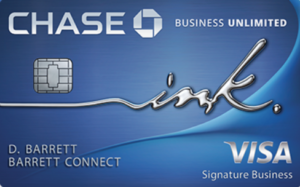
Chase Ink Business Unlimited

Chase Ink Business Unlimited

Chase Ink Business Unlimited is nearly identical to the Ink Business Cash card. The card offers the exact same benefits from fraud protection to the auto rental collision waiver in the bullet list above.

  • No annual fee
  • $500 sign up bonus after spending $3,000 in the first three months

While the benefits and card terms are the same between these two cards, the rewards structure is not.

Instead of offering various cash back percentages for different categories, Chase Ink Business Unlimited gives you 1.5% cash on everything. This is a better option for those of you who don’t want limitations or restrictions on the amount of cash back you can earn.

It all depends on the type of business you have.

For example, let’s say you’re planning to use a credit card to purchase things like inventory or other expenses that don’t fall into the Ink Business Cash rewards categories. In this scenario, Chase Ink Business Unlimited would be a better option for you.

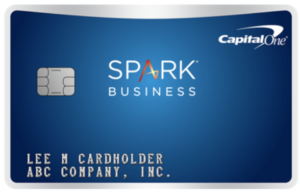
Capital One Spark Cash Select

Capital Oe Spark Cash Select

Capital One Spark Cash Select is another great option for earning cash rewards for all of your business expenses. The card offers unlimited 1.5% cash back on everything you buy.

  • No annual fee
  • $200 sign up bonus after spending $3,000 in the first three months

The card is very similar to the Chase Ink Business Unlimited credit card. Chase does offer a better sign up bonus ($200 vs. $500) for spending the same amount in three months.

With that said, the Capital One Spark Cash Select card has its fair share of benefits.

  • Dedicated business customer support
  • Fraud alerts
  • Free employee cards
  • Payment flexibility (pick your monthly due date)
  • Transaction details
  • Itemized year-end summary
  • Download purchase records into formats for QuickBooks and Quicken

For startup company credit cards, I typically lean towards cards with no annual fee.

But if you want more than 1.5% cash back, consider applying for the Capital One Spark Cash card instead. This gives you unlimited 2% cash back, but comes with a $95 annual fee (waived the first year).

Startups charging less money on their cards will be fine with the Spark Cash Select card.

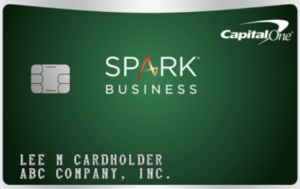
Capital One Spark Miles

Capital One Spark Miles

Some people would rather earn travel rewards instead of cash back. So if you’ll be traveling frequently for your startup company, Capital One Spark Miles is a top credit card to consider.

  • $95 annual fee (waived the first year)
  • 50,000 mile sign up bonus after spending $4,500 in first three months

As I mentioned earlier, I normally don’t recommend cards with annual fees to startup companies. But this one is easy to justify if you travel often.

50,000 miles is equal to $500 in travel. Considering that the annual fee is waived the first year, the sign up bonus alone makes up for the first six years using the card.

You’ll also earn unlimited 2x miles on all purchases. There are no blackout dates, seat restrictions, or minimums for redemption.

Other top benefits of the Capital One Spark Miles Card include:

  • $100 credit for TSA PreCheck or Global Entry
  • Earn 5x miles on hotels and car rentals booked through Capital One Travel
  • $0 fraud liability
  • No foreign transaction fees
  • Card lock

If you’re launching a startup that requires lots of business travel, this is the best card for you.

Capital One Spark Classic

Capital One Spark Classic

To qualify for the best business credit cards, you’ll need to have excellent credit. But that’s not reasonable for all small business owners.

If you have a low credit score but still want access to credit card rewards, the Capital One Spark Classic will be your best option.

  • No annual fee
  • Unlimited 1% cash back on all purchases

While the card doesn’t come with a sign up bonus or low interest rates, you’ll still have access to some of Capital One’s top card benefits.

  • No foreign transaction fees
  • Download purchase records to Quicken and QuickBooks formats
  • Auto rental damage waiver
  • Extended purchase protection (90 days for eligible items)
  • Fraud coverage and alerts
  • Free employee cards

Overall, this is a no-frills business credit card. But it’s a great way to build your credit by using the card responsibly. Plus, you’ll still get 1% cash back on everything.

I’d apply for the Capital One Spark Classic if you can’t get approved for other business credit cards.

American Express Blue Business Plus

American Express Blue Business Plus

American Express has one of the best reputations in the credit card industry. For both personal credit cards and business credit cards, Amex is known for exceptional customer service.

If you’re launching a startup, your company should consider the American Express Blue Business Plus card as a top option.

The Amex Blue Business Plus card is great for those of you who want to earn rewards points, as opposed to cash back or travel miles.

You’ll get 2x membership rewards points on purchases in any category for your first $50,000 spent each year. After that, you can earn unlimited 1x points.

Amex gives you expanded buying power, with the ability to make business purchases above your spending limits without a penalty, although restrictions apply.

The card comes with account alerts, online statements, a detailed year-end summary, free employee cards, and one of the best business credit card mobile apps on the market today.

American Express customer service and dispute resolution are second to none. So if you prioritize great customer support, this card is perfect for you.

American Express Blue Business Cash

American Express Blue Business Cash

If you prefer cash back instead of reward points, consider applying for the American Express Blue Business Cash credit card.

The card terms are basically identical to the Amex Blue Business Plus card. The rewards structure is the biggest difference between the two cards.

With the Amex Blue Business Cash card, you can earn 2% cash back on your first $50,000 in purchases per year. After that, you’ll receive unlimited 1% cash back on everything else.

Other top benefits include:

  • Expanded buying power
  • Car rental loss and damage insurance
  • Global hotline assistance
  • Free employee cards
  • Account manager access
  • Amex Business mobile app
  • Account alerts
  • Vender pay via Bill.com
  • Extended warranty protection for eligible purchases
  • Purchase protection for eligible purchases

Overall, the American Express Blue Business Cash card is arguably the best free cash back business credit card on the market today.

US Bank Business Platinum

US Bank Business Platinum Card

Sometimes a startup company needs to get creative with financing purchases. Certain small business loans have restrictions for what you can spend the funds on.

Credit card financing has become an alternative solution for small business owners. But to consider this, you’ll need to find a card with low-interest rates.

That’s when the US Bank Business Platinum card comes in handy.

The card definitely lacks quality rewards benefits. So I’d only consider it as an alternative financing method.

How to Choose the Best Credit Card For Your Startup Business

There are certain factors that must be taken into consideration when you’re evaluating business credit cards for your startup. This is the methodology that we used to come up with this guide.

Annual Fee

Most startup companies should look for credit cards with no annual fee. It’s crucial to save money everywhere possible when you’re first starting a business.

Seven of the eight cards on the list above are free. The only one you have to pay for is the Capital One Spark Miles card. But the fee is just $95 per year, waived in year one, and easy to justify for frequent travelers.

Exclusive business credit card fees can range above $500. While you may consider those down the road, I’d steer clear of them in the early stages of your business.

Interest Rates

You should always aim to pay your credit card balance in-full each month. But sometimes cash is tight for startups, so you might have to finance a few purchases.

Look for a credit card offering 0% APR for purchases in your first year. Aim to pay those off before you start incurring additional interest fees.

A low-interest credit card might have cheaper rates than certain business loans. So take that into consideration before making large purchases.

Credit Score

When launching a startup, your personal credit score will be used when you apply for a credit card. That’s because new businesses don’t have any credit records on file.

A high score will give you access to better cards with lower interest rates and top rewards.

However, not everyone falls into this category. If your credit score is below average, there are certain cards that you should be applying for instead. The Capital One Spark Classic is a great example.

Rewards

Credit card rewards usually come in one of the following three formats:

  • Cash back
  • Membership points
  • Miles

I’d recommend cash back rewards cards for most startup companies. The cards on this list range from 1% to 5%. Some have restrictions on how much cash back you can earn, while others are unlimited for all purchases.

A rewards program with miles is ideal if you need to travel often for business purposes. Otherwise, cash back is just fine.

Benefits

Every credit card has a wide range of perks and benefits.

From a sign up bonus to purchase protection and fraud alerts, the list varies by card type and card company. You’ll just have to figure out which benefits are best for your spending habits.

For example, no foreign transaction fees and auto rental waiver insurance shouldn’t win you over if you never rent a car and don’t make purchases in foreign currencies.

Conclusion

Startup companies have unique needs compared to well-established businesses. There are certain credit cards that are ideal for newer small businesses.

Here’s a recap of the top eight that I’d recommend.


from Quick Sprout https://ift.tt/3cgYVOJ
via IFTTT

Best Online Business Banking for 2020

What makes a great bank for business purposes?

In today’s day and age, your bank needs to have online banking capabilities. There are online-only banks as well as physical branches offering online banking services.

While most banks today have some type of online portal, not all of these are created equal.

The best business checking accounts have dozens of online features, like mobile deposits, digital bill pay, and fraud alerts.

You’ll also need to consider other banking products that you can access online. I’m referring to things like business savings accounts, merchant services, credit cards, and small business loans.

Whether you run a startup or a multi-million dollar well-established corporation, I’ll show you the best online business banking solutions to fit your needs.

Top 10 Online Business Banking Accounts For 2020

There are hundreds of different online business bank accounts on the market today. But these are the top ten that I recommend:

  • Novo
  • Axos Bank
  • Chase Bank
  • TIAA Bank
  • US Bank
  • Navy Federal Credit Union
  • Azlo
  • Radius Bank
  • Citizens Bank
  • First Internet Bank

I’ll highlight the type of online accounts offered, prices, benefits, and other online banking solutions for each one below.

The Best Online Business Banking Reviews

Novo

If you’re a small business owner, freelancer, or entrepreneur seeking an online-only business banking solution, look no further than Novo.

Novo is a modern and simple way to handle your business banking needs. Here’s an overview of top features and benefits of this online bank:

  • No monthly service fees
  • Refunds at all ATMs
  • Free incoming and outgoing ACH transfers
  • Free domestic and foreign wires
  • Free mailed bank checks
  • No minimum balance requirement

It takes less than ten minutes to apply for a Novo online business bank account. You need just $50 to open an account.

Novo has an outstanding mobile app that lets you handle all of your business banking needs on the go. It integrates with business tools that you’re already using, like Slack, Xero, and Zapier.

You’ll also benefit from discounts on business tools like HubSpot, Salesforce, Zendesk, Google Cloud, and Stripe.

Overall, Novo is a basic online-only bank for business owners seeking simplicity. But it does lack other banking tools beyond a checking account.

Axos Bank

Axos Bank is another top online-exclusive business bank. But unlike Novo, Axos features a suite of business banking solutions, including multiple account types and additional services.

  • Basic Business Checking
  • Business Interest Checking
  • Business Premium Savings
  • Business Money Market
  • Business Savings
  • Business Certificate of Deposit (CDs)
  • Certificate of Deposit and Registry Service (CDARS)

Axos also offers treasury management solutions to streamline your payment processing. They provide additional merchant services like POS terminals, mobile commerce, and PCI compliance.

You’ll need at least $1,000 to open an Axos business checking account.

Your account comes with 200 free transactions per month. There are no monthly maintenance fees, and you’ll have access to a surcharge-free ATM network.

Axos has everything you’d expect from an online business banking solution, including a mobile app with remote check deposit capabilities.

But like any online-only bank, this isn’t for businesses that need to deposit cash.

Chase Bank

Chase Bank has some of the best business banking solutions on the market today. They have physical bank branches in addition to the online banking services.

Here’s an overview of the three different business checking accounts offered by Chase. All three of these can be opened and managed online.

Chase Total Business Checking

  • $15 monthly service fee
  • Unlimited electronic deposits
  • $5,000 free cash deposits per billing cycle
  • 100 free transactions per month

The $15 service fee is waived if you maintain a daily balance of $1,500. If you link a personal Chase checking account to your business account, the combined balance counts towards this minimum.

Chase Performance Business Checking

  • $30 monthly service fee
  • Unlimited incoming wires and electronic deposits
  • 250 free transactions per month
  • $20,000 free cash deposits per billing cycle
  • Two free outgoing domestic wires per cycle

The $30 service fee is waived by maintaining a $35,000 minimum daily balance in qualifying business deposit accounts.

Chase Platinum Business Checking

  • $95 monthly service fee
  • 500 free transactions per month
  • $25,000 free cash deposits per billing cycle
  • Four free outgoing wires per cycle (your most expensive ones)

Chase will waive the $95 service fee if you maintain a daily balance of $100,000 or more between qualifying business deposit accounts.

As you can see, Chase has an online business checking account for businesses of all different shapes and sizes. It’s easy to determine which Chase business account is best for you based on the minimum balance requirements and free cash deposits per month.

In addition to checking accounts, Chase also has some of the best business credit cards on the market today. You’ll also benefit from merchant services and online business lending solutions if you need them.

TIAA Bank

TIAA Bank is a top option for those of you looking for an online-exclusive business banking solution. They offer checking accounts and treasury services for commercial businesses, small businesses, and nonprofit organizations.

If you’re a single-owner LLC or sole proprietor, you can get a high-yield small business checking account. As of February 2020, the intro APY rate is 1.21% for the first year.

Here’s a quick overview of the key features for each TIAA Business Checking account:

Business Checking

  • $1,500 minimum to open
  • 200 free transactions per month
  • Ten free online bill payments per month
  • $14.95 monthly maintenance fee (waived with $5,000 daily balance)

Small Business Checking

  • $1,500 minimum to open
  • No monthly maintenance fee
  • Free ATM reimbursements up to $15 per month (unlimited with $5,000 daily balance)
  • High yield on all balances

Nonprofit Checking

  • $1,500 opening deposit minimum
  • Interest-bearing checking
  • Overdraft protection
  • $14.95 monthly maintenance fee (waived with $5,000 minimum daily balance)

Analysis Checking

  • Two different types of accounts available
  • Interest-bearing checking
  • $1,500 minimum opening deposit
  • Offset fees with earnings credit rate

While TIAA Bank does offer a wide range of checking account types, I wish the nonprofit monthly maintenance fee was waived regardless of the balance.

The best account here is the high-interest checking account for sole proprietors and single-member LLCs.

US Bank

US Bank is a national chain with 3,000+ branches and more than 4,800 ATMs throughout the country. In addition its online banking solutions, you’ll be able to do some in-person banking if your business needs to make cash deposits.

There are four different business checking accounts offered by US Bank. All of which have online banking capabilities.

Silver

  • No monthly fee
  • $5 paper statement fee
  • 125 free transactions per month ($0.50 per transaction after)
  • 25 free units of cash deposits per month

The US Bank Silver business checking account is simple and made for startups and small businesses.

Gold

  • $20 monthly fee (waived with qualified balances)
  • Free paper statements
  • 300 free transactions per month ($0.45 per transaction after)
  • 100 free units of cash deposits per month
  • Interest-bearing

The Gold business checking account is for small to mid-sized businesses with moderate transaction volumes.

Platinum

  • $30 monthly fee (waived with qualified balances)
  • 500 free transactions per month ($0.40 per transaction after)
  • 200 free units of cash deposits per month

US Bank’s Platinum business checking account rewards business owners with higher balances.

Premium

The Premium account is unique. It’s an analyzed account; meaning fees can be offset by credits from your account activity. It’s unclear on the website what those fees, credits, and activity would be. But the account is made for larger organizations with high checking balances and lots of activity. You’ll need to contact US Bank directly for more information.

In addition to these four online checking accounts, US Bank also provides small business loans, credit cards, and merchant services. You’ll have access to everything you’d expect from a national bank.

Navy Federal Credit Union

Navy Federal is another national chain with physical branches in addition to online business banking. Business owners with ties to the US Armed Forces, National Guard, and DoD can open an online checking account with Navy Federal Credit Union.

They offer business checking, business savings, and CDs. Here’s an overview of Navy Federal’s three business checking accounts:

Business Checking

  • Best for new businesses with limited cash flow activity
  • No monthly maintenance fee
  • Two signers
  • 30 free non-electronic transactions per month ($0.25 per transaction after)

Business Plus Checking

  • Best for growing businesses with multiple owners
  • $8 monthly service fee (can’t be waived)
  • Accommodates steady banking activity
  • 50 free non-electronic transactions per month ($0.25 per transaction after)

Business Premium Checking

  • Best for large businesses with high deposit balances
  • $20 monthly fee (waived with average daily balance of $5,000)
  • Great for large transaction volumes
  • 100 free non-electronic transactions per month ($0.25 per transaction after)
  • Up to 0.45% APY (based on balance)

I’d recommend Navy Federal online banking to business owners who are seeking a small business loan. Navy Federal has some of the best interest rates and approval rates on the market today. So you can get your checking account and loan from the same bank while managing everything online.

Azlo

If you’re a freelancer or launching a startup, Azlo is a top online-exclusive business bank to consider. It’s only a viable option if you’re not accepting cash.

Highlights of an Azlo business banking account include:

  • No monthly fees
  • No overdraft fees
  • No minimum balance requirements
  • Unlimited transactions
  • No incoming wire fees

Azlo integrates with business tools like Square, Stripe, and QuickBooks.

You can deposit checks remotely with Azlo’s intuitive mobile app. You’ll also be able to create, send, and manage digital invoices to your clients through the Azlo platform. This is ideal for clients who want to pay via bank transfer.

If you’re looking for an online bank that offers loans, savings accounts, and other banking services, Azlo is not for you.

Radius Bank

Radius Bank has a wide range of online business banking solutions. Here’s a quick list of the online services you’ll have access to with a Radius business account:

  • Four different business checking accounts
  • Money market savings
  • CDs and CDARS
  • Statement savings accounts
  • SBA loans
  • Commercial real estate loans
  • Equipment financing
  • Credit cards
  • Escrow services
  • Nonprofit services

As you can see, Radius offers everything you could possibly need and more from an online business bank.

One standout is the Tailored Checking account, which is made for growing businesses. Tailored accounts come with:

  • Unlimited transactions
  • 0.75% APY for balances above $5,000
  • Unlimited transactions
  • $10 monthly fee (waived with balances over $5,000)
  • No minimum balance requirements ($100 to open)
  • Free ATM network worldwide

You can apply online in less than ten minutes without uploading any documents. Between the online services and mobile banking tools, Radius Bank is a top choice to consider.

Citizens Bank

Citizens Bank is a top choice for business owners that want access to lots of different online banking solutions. Furthermore, Citizens has 1,100+ branches and 3,100+ ATMs (mostly on the east coast). So it’s a good option for those of you with in-person banking needs as well.

Let’s take a closer look at the company’s business checking accounts:

Clearly Better Business Checking

  • Best for small businesses with moderate account activity
  • No monthly fee
  • No minimum opening deposit
  • 200 free transactions per billing cycle ($0.50 per transaction after)

Business Advisor Checking

  • Best for businesses with higher account activity
  • $25 monthly fee (waived with $10,000 average daily balance)
  • No minimum opening deposit
  • 500 free transactions per billing cycle ($0.30 per transaction after)

Citizens Analysis Business Checking

  • Best for large businesses that need ACH, transfers, wires, and cash management
  • $20 monthly fee (can’t be waived, but can be offset with earnings credits)
  • No minimum opening deposit
  • Custom transactions (must speak to a representative for details)

In addition to these checking accounts, Citizen offers credit cards, investing options, business benefits, healthcare banking, and a wide variety of business resources. Large organizations will have access to commercial banking solutions as well.

First Internet Bank

As the name implies, First Internet Bank is an online-only bank. There are three different types of banking solutions offered by this bank.

  • Small business checking
  • Commercial checking
  • Business savings and CDs

Overall, the commercial checking accounts stand out the most.

Lots of online-only banks on the market today are geared towards startups and small business owners. But First Internet Bank has a wide range of banking services for large organizations and enterprises.

Businesses opening a commercial checking account will benefit from features like:

  • Dedicated business banking experts
  • Treasury management services
  • Merchant services
  • Sweep services
  • Wire services
  • Zero balance accounts

Contact First Internet Bank to ask about a custom business banking solution to meet the needs of your large organization.

How to Find the Best Online Business Bank Account For You

All of the online banks on our list won’t be a viable solution for your business. You’ll need to narrow down your options based on certain factors. This is the methodology that we use here at Quick Sprout to find the best online bank for you.

Business Type

You can start by narrowing down your choices based on the size and structure of your organization. Some online banking accounts are geared towards startups, sole proprietors, and freelancers. Others are designed for small businesses to mid-sized and larger organizations.

For example, if you have a small business with three locations and 30 employees, you can immediately eliminate the accounts designed for freelancers and single-member LLCs.

Fees

Lots of online business bank accounts come with monthly fees. Some banks do offer free banking, and others let you waive the monthly fee by maintaining a minimum daily balance.

Unlike personal checking accounts, business accounts typically come with monthly transaction limits. You might have to pay up to $0.50 per transaction once you exceed those limits.

Regardless of your situation, you can find a way to avoid these fees by finding an account that falls within your banking activity.

Checking Accounts and Banking Solutions

What do you want to get out of your online bank? You’ll need a checking account, at a minimum.

But the day might come when you’ll need access to other banking solutions.

  • Business savings accounts
  • Business CDs and CDARS
  • Merchant services
  • Business loans
  • Business credit cards

It’s easier to get all of this under one roof, as opposed to searching for another bank at a later time.

In-Person Banking Availability

Online-exclusive banking isn’t for everyone. If you have physical store locations that accept cash, you’ll need the ability to deposit those funds at a branch.

Banks like Chase, US Bank, Citizens Bank, and Navy Federal Credit Union all have branches for in-person business banking. Just verify that there is a branch in your area.

Mobile Accessibility

Part of being a great online bank means having an excellent mobile app. The majority of your online banking activity can be done from the palm of your hand.

Mobile apps are used for things like remote check deposits. But you’ll want an app that goes beyond this basic feature. All of the banks on our list have modern and efficient mobile apps for your business banking needs.

Conclusion

Here’s a recap of the ten best online business banking solutions on the market today:

  • Novo — Simple online-only business checking account with no hidden fees.
  • Axos Bank — Online-exclusive bank with interest-bearing checking solutions.
  • Chase Bank — Best online business checking accounts for businesses of all sizes.
  • TIAA Bank — Best high-interest checking for sole proprietors and single member LLCs.
  • US Bank — National bank with four online checking accounts and banking services.
  • Navy Federal Credit Union — Best online banking for business owners with ties to the Armed Forces, National Guard, and DoD.
  • Azlo — Best online-only business bank for freelancers.
  • Radius Bank — Best online banking solution for growing businesses.
  • Citizens Bank — No minimum balance requirements and free checking available.
  • First Internet Bank — Best online commercial checking account for complex business banking needs and high transaction volumes.

I purposely included banks for all types of businesses on here. From freelancers to enterprises, and everything in between, I know you can find what you’re looking for on this list.


from Quick Sprout https://ift.tt/2TiVO00
via IFTTT