Friday, July 31, 2020

How to Create a Website With WordPress

Creating a website used to be a massive project. Expensive, too.

Everything had to be built by hand and businesses needed to work with an online marketing agency that would charge them tens of thousands of dollars to build the site. If you wanted a professional-looking site, that was your only option.

Things have gotten a lot cheaper and easier over the years.

Note that there’s a number of approaches you can take to creating a website. More on that later—let’s dive right in.

A Step-by-step Guide to Creating a Website With WordPress

I’ve broken down the 9 simple steps to create your website from scratch.

They are:

  • Step 1: Pick a name and find a domain for your website
  • Step 2: Register your domain name
  • Step 3: Decide what kind of site you are creating
  • Step 4: Get a host for your website
  • Step 5: Install WordPress
  • Step 6: Point your domain to your host
  • Step 7: Install a WordPress theme
  • Step 8: Add content to your website
  • Step 9: Continue evolving your website

You’ll easily be able to run through these steps over the next 120 minutes.

Step 1: Pick a name and find a domain for your website

Time for a tough truth: A lot of the good domain names have been taken.

Here’s how a naming session might go for you:

  1. In a moment of inspiration, we think of an amazing name.
  2. We hold on to this name for months, maybe even years.
  3. It’s time to start the business, so we go to purchase the domain.
  4. The domain is taken.
  5. We try a dozen small variations of our original idea, all taken.
  6. No biggie, we thought of one brilliant name, we’ll think of another one.
  7. Backup idea #2 = taken.
  8. Backup idea #3 = taken.
  9. Backup idea #4 = taken.
  10. Despair sets in.
  11. We start considering names that we don’t actually like, hoping that anything is available.
  12. We come up with 2 or 3 options that we don’t like at all.
  13. Then we spend a week trying to come up with a name that’s both available and a name that we can live with.
  14. Finally, we find one.

Websites have also become so embedded in our day-to-day lives that it’s better to change the name of the business to match an available domain than it is to pick a poor quality domain. Through this process, I almost always end up with a completely different name than I originally intended.

This is why I consider the “naming my business” and “buying the domain” steps for creating a business to be the same step. I try to only lock myself into a name once I have the domain.

We put together an in-depth guide on buying domains here.

The good news is that the rest of these steps are a breeze once you have your domain purchased. It’s the first and hardest step to create your website.

Step 2: Register your domain name

Real quick, let’s sort out the difference between a domain registrar and a web host.

A domain registrar is a company that specializes in buying (registering) domains.

A web host, on the other hand, specializes in running servers that host websites.

Every web host will desperately try to get you to also register a domain through them. The reason is that it’s a great upsell for them. They’ve spent most of their resources building out a hosting service, then they offer domain registration as a convenience, increase the price a bit, and collect a nice chunk of extra profit from you.

My philosophy is to buy things from businesses that specialize in that exact thing. Prices will be better and so will quality. That’s why I also use a domain registrar for buying domains and a web host for hosting. I never mix up the two.

The best domain registrar is Domain.com. That’s where I have all of my domain names.

We put together a detailed review of domain registrars here.

Step 3: Decide what kind of site you are creating

Most guides on creating a website will push you into using WordPress. It’s the most popular and flexible website builder. And that’s usually a good recommendation.

But there are a few situations where I recommend different options.

Simple Portfolio or “Business Card” Sites

Many businesses need a simple website that tells people a few things:

  • Who the business is for
  • What the business does
  • Sometimes a portfolio that shows off some work
  • Contact info

This kind of site gives the basic info for the business, nothing more. If this is what you need, Wix is your best option for creating your website. It’s incredibly simple to use and will give you a professional site at a very low price. It’s perfect for small businesses.

They’ve created the simplest and easiest website builder out there. Truly, it’s a joy to use, and makes the most sense when you just need a clean, professional-looking site that gives some basic info on your business. It’s perfect for small businesses, freelancers, and artists.

Ecommerce Sites

If you’re planning on building an ecommerce store for your site, don’t use WordPress. We have an entire post here on when to use WordPress for ecommerce and when not to. The short story: it rarely makes sense to use WordPress for ecommerce.

The best option, by far, is Wix again. There used to be more competition in the ecommerce tool space, but Wix got too far ahead of even Shopify.

If you’re going this route, we have a 9-step guide on how to create an ecommerce website. We also have a guide on how to start a store that drives real sales. Both of those guides will get you pointed in the right direction.

Blog Sites

If you know you want a blog or are planning on doing lots of content, start on WordPress. The majority of this guide is around building a WordPress website. (We also have a detailed guide on starting blogs here.)

Most websites are really just blogs. Some of the biggest, and most well-known websites on the Internet are blogs. WordPress powers over 30% of the entire internet. So it’s the only real option for starting a blog these days.

What about Joomla or Drupal? Or Typepad?

WordPress left all those other platforms in the dust about a decade ago. They’re not even legitimate options at this point. Pick WordPress — there isn’t a single situation where you’ll regret it.

When I originally started with this online thing, Drupal sites were still pretty common. I partnered up with an engineer friend of mine and we did a lot of freelance work migrating sites from Drupal to WordPress. Even back then, WordPress was a clear winner.

Now when I come across a site on any of these other tools, it’s kind of exciting. It’s like finding an ancient artifact. “This still exists!? How fascinating!”

Don’t use any of these other tools, stick to WordPress.

Everything Else

If you’re not sure or have another vision for your site outside the categories above, use WordPress. It’s the most flexible platform out there. It will do ecommerce, it’ll do simple portfolios, it’ll do massive content sites, it’ll do Fortune 500 marketing sites, it’ll do it all.

You might have to customize it more than other platforms in some situations but you can make WordPress do whatever you want it to. And just about anyone in online marketing knows their way around WordPress so you’ll be able to find plenty of people to help you when the time comes.

Whether you want to build your site by hand or you have an online marketing agency to do it for you, you should still build on top of WordPress. It’ll shortcut a lot of the programming work and give you the ability to edit basic items on your site without having to edit any code. I’ve managed marketing sites of venture-backed tech startups that employed dozens of engineers — we still had our marketing site built on top of WordPress. It’s the standard choice.

Step 4: Get a host for your website

For the rest of this guide, I’m going to assume that you’ve picked WordPress to create your site. If you want an ecommerce site, skip the rest of this guide and follow our guide on creating an ecommerce site.

WordPress is the tool that you’ll use to build your website. But you also need a host that will store your site and make it available to anyone who visits.

The best place to go for most people is Bluehost.

We have an entire guide here that goes through all the best web hosts.

Hosting plans usually start around $5/month.

Step 5: Install WordPress

Just about every website host has a 1-click install of WordPress. Bluehost, the hosting provider I recommend the most has this feature. But if you have trouble finding it, contact support and they’ll be able to walk you through it.

Step 6: Point your domain to your host

Let’s do a quick recap.

  • You bought your domain using a domain registrar.
  • You signed up for a hosting plan.
  • You installed WordPress on your host.

Now you’re going to connect all that stuff together by pointing your domain to your host. Then when people go to your domain, they’ll end up on your website.

There are a few technical settings you need to apply. This involves configuring a few nameserver settings on your domain registrar for your domain. Your host will give you the correct settings; you’re looking for their nameserver settings.

If you get stuck, contact your host and they’ll give you all the info you need.

Once you have the nameserver info from your host, go into your domain registrar and configure those settings for the domain that you want to point at your site. Once you’re done, it’ll look something like this:

 

Create a Website Name Servers

Step 7: Install a WordPress theme

Think of WordPress as the guts of your site, it’s all the pumping that makes your site work.

WordPress uses themes to determine how your website looks. This makes it really easy to change how your site looks without having to rebuild your site from scratch. Swap out your old theme for a new one and ta-da! Your design will look completely different.

These days, I purchase all my themes from StudioPress.

Heads up, WP Engine bought StudioPress and now includes all the StudioPress themes in its hosting plans. WP Engine is more expensive but it’s perfect for serious bloggers. It’s a great way to save money on your theme if you are planning on building a large site to begin with. WP Engine is another one of our recommended hosts if you’re looking for the best. The downside is that WP Engine tends to be more expensive than other hosts. It’s probably overkill if you are just starting out, or creating your first website.

Back to themes, are there other options?

You betcha. ThemeForest and Pixelgrade has a marketplace of WordPress themes. There are literally tens of thousands of themes to pick from. They’re usually in the $30–60 price range. When looking for theme, I rank them by the most popular or the highest rating. Then I pick one I personally like.

After you’ve purchased a theme, go to the WordPress Theme settings and upload your theme. The Theme settings are under Appearance in the WordPress sidebar menu. You’ll have to click through “Add new” and “Upload Theme” in order to see this option to upload:

Upload WordPress Theme

Go ahead and upload the .zip file you received when you purchased your theme.

After it’s uploaded, you’ll also have to click “activate” on the theme in WordPress to make it go live.

Step 8: Add content to your website

Now the fun part — it’s time to create the individual pages of your site.

You’ll do this within WordPress.

WordPress has two types of content: pages and posts.

Think of posts as blog posts that are published under a “blog” section of a site. If you’re not planning on having a blog, then you can skip posts entirely.

Pages are the more permanent pages on your website. Like your About or Contact Us pages. When you’re first creating your website, you want to get a batch of pages live so your site feels real.

Every website has a few standard pages you should create:

  • Homepage – Your WordPress theme usually has settings for this page.
  • Contact Page – Create a new page and install a WordPress form plugin so you can add a form to the page.
  • About page – Tell your story and why you’ve started your business.
  • Product or services pages – For the main services or products that you’re offering, it’s a good idea to create a dedicated page for each.
  • Blog – If you’re building a blog, make sure all your posts get listed here.

This list will get you started. You can always add more later.

Step 9: Continue evolving your website

At this point, you have a fully functioning site that looks great.

I’m not going to lie, there’s a lot of extra configuration you can do to your site: you can add WordPress plugins that upgrade your site, build out a blog, add an email list, grow traffic, the list is endless.

You don’t have to do any of this extra stuff — it’s all optional. It depends on your priorities and goals.

A website is an ever evolving thing. The way it looks after you first create it, won’t be how it looks a couple months later. At least that is the case if you are actively working and growing your website.

When you’re ready, these guides will walk you through the extra stuff that’s worth considering:

Our General Take On Building a Website

Don’t get confused by all of the different options for creating a website. For a more in-depth look at how we think about this, check out our preliminary guide on how to create a website.

WordPress is King

In most cases, we highly recommend to build your website with WordPress. It’s an open source platform that allows you to run your website with very little technical expertise.

Some of the biggest websites on the Internet are built on WordPress. TechCrunch, The New Yorker, Variety and MTV News, just to name a few.

It’s also the most popular blogging platform, so there are hundreds of thousands of smaller websites that use WordPress.

WordPress is used by 33.4% of all the websites, and has a content management system market share of 60.3%.

Much of our content is centered around WordPress because we use it for all of our websites outside of Ecommerce.

Here’s the guide on how to create your website on WordPress.

Wix for Ecommerce

For Ecommerce, we like Wix — which is an Ecommerce website builder that allows you to get an online store up and running quickly.

The reality is that creating and running an online store can be a huge pain. Wix takes that pain away. That’s probably why they are growing so quickly.

Here’s the guide on how to create your website on Wix.

The Dozens of Other Options

If you’re reading this right now, then you most definitely fall into the category of someone that should be using WordPress or Wix.

In rare cases, it might make sense to create a website using Squarespace or a similar website builder.

In other (very) rare cases, it might make sense to have a custom-built website.

More Guides On Creating and Managing a Website

Below, a master list of all our best resources on creating a website.

For general information:

How to Plan Out Your New Website

How to Buy The RIGHT Domain Name – A Detailed Guide

How to Develop Your First Brand Identity on a Budget

The 5 Best Website Builders

The 5 Best Domain Registrars

10 Trending 2019 Website Color Schemes

9 Places To Get Website Images (Paid and Free)

The Best Website Fonts That Go Together in 2019

13 Website Design Best Practices

7 Reasons Why You Do NOT Need to Hire a Website Designer

The 22 Key Elements of a High Quality Website

How Much Copy Should You Write on Your Homepage?

10 Contact Page Techniques That Make People Contact You

How To Create an About Page That Matters

How to Make a Wix Website in 6 Easy Steps

For useful information on optimization as your site gets up and running:

Website Speed

Website Usability

Website Security

Website Mobile Friendliness

5 Easy Steps to Creating a Sitemap For a Website

Should You Switch Your Site to HTTPS? Pros and Cons

The Top 10 Principles That Boost Your Website Loading Time

More about web hosting:

You need a web hosting provider in order to have a website.

We recommend Bluehost for most people. For advanced WordPress users, with high traffic websites, it could make sense to move to WP Engine at some point.

More about The Best Web Hosting Companies here.

Here are some additional guides to help you learn more about web hosting:

The Best Web Hosting for WordPress

The Best Free Web Hosting

The Best Cheap Web Hosting

The Hidden Costs of Website Hosting

More about analytics and reporting:

An analytics tool is important if you want to know what’s happening on your website. It tells you how much traffic you’re getting, where it’s coming from, and what people do on your site. Google Analytics is the standard. That’s what we use for Quick Sprout.

Read more about why Google Analytics is the best.

Installing Google Analytics is easy. Consuming the reports is a bit more complicated.

Here are some guides to help:

The 2 Website Analytics Tools Pros Actually Use in 2019

Setup Google Analytics in 3 Steps – The Beginner’s Guide

10 Vital Customizations to Make in Google Analytics

A Guide to Google Analytics Add-on for Google Sheets

How to Track Your Leads with UTM Parameters

More about building and optimizing with WordPress:

A WordPress website is basically made from what’s called a WordPress Theme and WordPress Plugins. All of the features of your website will come either from the theme or the plugins you install.

To help you get started, we reviewed all of the best WordPress Plugins across the most popular categories.

Here’s an in-depth review for each category:

Best SEO Plugins for WordPress

Best WordPress Gallery Plugin

Best WordPress Backup Plugin

Best Form Plugin WordPress

Best WordPress Cache Plugin

Best WordPress Security Plugin

Best WordPress Calendar Plugin

Best Google Analytics Plugins for WordPress

Best WordPress Popup Plugin

Best WordPress Directory Plugin

Best WordPress Booking Plugin

Best Membership Plugins for WordPress

Best Social Media WordPress Plugin

Useful information for ecommerce websites:

If the primary purpose of your website is to sell products, you’ll need an ecommerce website. We recommend keeping it simple and going with Wix.

Check out our review of the Best Ecommerce Platforms, to get a comparison to the other options out there.

Get the step-by-step on how to start an online store.

Our guide on how to create an Ecommerce website.

More useful guides on building an Ecommerce website:

WordPress Ecommerce

How to Transfer Your Website to Shopify

Best Ecommerce WordPress Themes

Best Ecommerce Website Builder

Checkout Process Design

Ecommerce Color Schemes

How to Create a Trust Seal On Checkout Page

Tips on starting a blog:

When you really break it down — most websites are blogs, and blogs are websites. They have become one and the same. The most popular blogging platform is WordPress, and that is also the same platform we use for any other website, blog or otherwise.

If you’re thinking about starting a blog specifically, and that is why you’re trying to figure out how to create a website…we have over 40 guides on blogging.

Here are the blogging guides specific to getting started, and building your blog:

How to Start a Blog

Best Blogging Platforms / Blog Sites

Best WordPress Themes for Blogs

Blog Design

11 Things I Wish I Knew Before I Started My First Blog

The Top 12 Tips for Running a Successful Video Blog

10 Lessons Seth Godin Can Teach You About Blogging

100 Lessons Learned from 10 Years of Blogging

Creating Your Own Website: In Summary

Creating your website might seem overwhelming at first. It really comes down to starting with these simple steps:

  1. Is your primary purpose to sell things on your website? If yes, then focus on Wix, if no, then focus on WordPress.
  2. Use the guides on Quick Sprout to help you through the process. It’s a learning curve for sure. Taking the time to set up everything correctly will help you grow your business and your traffic much faster later on.
  3. Don’t hesitate to reach out to us directly via email with questions. We’ll help however we can.


from Quick Sprout https://ift.tt/31L2TJ0
via IFTTT

The Best Telemarketing Services

Contrary to popular belief, telemarketing is still a viable marketing strategy for businesses.

The best telemarketing services offer more than just cold calling random numbers to sell something. They assist with lead generation, campaign management, and other essential services to make sure you’re generating a high ROI.

Some telemarketing services even have complete call center solutions, from answering services to call forwarding and more.

If you’re looking for the best telemarketing service for your business, I’ll help you find one that fits your needs.

Compare Quotes From The Best Telemarketing Services

Get matched up with a telemarketing service that fits your specific needs.

>> Compare Quotes


The 10 Best Telemarketing Services of 2020

There are hundreds of different telemarketing companies on the market today. Finding the best option for you can be tough if you don’t know where to start.

After conducting extensive research, I’ve narrowed down the top ten telemarketing companies:

  • DialAmerica US-based call centers with 60+ years of telemarketing experience.
  • Flatworld Solutions — Cold calling telemarketing starting at $8 per hour.
  • Squeeze Media — Small BPO (business process outsourcing) provider based in Utah.
  • Callbox — Best telemarketing service for B2B lead generation and appointment setting.
  • Quality Contact Solutions — Telemarketing services with several pricing models.
  • Go4customer — Extensive list of other services beyond call centers and telemarketing.
  • Strategic Calls — Best telemarketing service for targeting executives and managers.
  • Worldwide Call Centers — Best cheap telemarketing service with global call centers.
  • SAS — Answering service with telemarketing rates based on usage.
  • Superhuman Prospecting — Telemarketing agents with a background in sales.

This guide contains an in-depth review of each service. We’ll cover the features, benefits, and other factors to consider during your search.

Best Telemarketing Services Reviews

DialAmerica

• In business for 60+ years
• Located in the United States
• Full-service sales & marketing
• Wide range of services
Compare Quotes

With DialAmerica, you get more than just telemarketing. It’s a full-service sales and marketing organization.

They offer more than 60 years of experience with 19 call centers located within the United States. Each year, DialAmerica makes 100 million calls.

The best part: Call center agents at DialAmerica don’t read scripts. Instead, they learn active listening skills for establishing rapport with customers. These sales skills help them use personalized and persuasive techniques.

By adding a human touch to these calls, customers are much more engaged than they would be from listening to a script.

The marketing campaigns from DialAmerica are based on data and advanced reporting. These are highly customizable and always accessible. The analytics used by the DialAmerica representatives make it possible for them to adjust and improve campaigns on the fly.

Common industries that use DialAmerica’s telemarketing services include:

  • Healthcare
  • Retail
  • Ecommerce
  • Education
  • B2B sales and service
  • Communications
  • Financial services
  • Government
  • Nonprofit
  • Publishing

DialAmerica has call center services for lead generation, appointment setting, customer acquisition, customer retention, and customer service. They even offer direct mail fulfillment.

Flatworld Solutions

• Wide range of services
• Cold calling
• Affordable pricing
• Telemarketing services that scale
Compare Quotes

Flatworld Solutions offers a wide range of outsourcing services. In addition to call centers, this company provides photo editing, software development, design, data entry, transcription services, and more.

They have a global reach with offices and delivery centers in the US, India, and the Philippines.

Flatworld Solutions has the infrastructure and everything you need for telemarketing at scale. Here’s a quick overview of the telemarketing services that they offer:

  • Cold calling
  • B2B cold calling
  • Real estate cold calling
  • B2C cold calling
  • Inbound telemarketing
  • Outbound telemarketing
  • Telemarketing consulting services
  • List marketing services

Flatworld Solutions uses some of the best call center software on the market today. They use Zendesk, HubSpot, Five9, LiveAgent, Salesforce, and more.

Let’s take a look at the affordable pricing rates for the call center services offered by Flatworld Solutions:

  • Telemarketing and non-technical support — Starting at $8 per hour
  • Technical support — Starting at $10 per hour
  • Advanced technical support — Starting at $15 per hour

Rates vary based on factors like volume, call complexity, and other contract terms. But with telemarketing services as low as $8 per hour, it’s a great way to get a high ROI.

Squeeze Media

• Full-service BPO firm
• Inbound & outbound calling
• Specialty services
• In business since 2009
Compare Quotes

Squeeze Media is a business process outsourcing (BPO) firm based in Utah.

Launching back in 2009, Squeeze Media is a bit newer and smaller compared to some of the other companies on our list. But that’s definitely an advantage for those of you who want a more personal relationship with your telemarketing service provider.

B2C telemarketing is one of the many specialty services offered at Squeeze Media. With a mix of inbound and outbound calling, the Squeeze Media agents can sell your products and services.

Squeeze Media offers other services, including call center solutions such as:

  • Lead generation
  • Live transfers
  • Lead development
  • Consultative sales
  • B2B pipeline development
  • Marketing automation
  • Inbound customer service
  • Outbound customer retention

For those of you who want to work with a smaller US-based telemarketing service, Squeeze Media will be a top option for you to consider. As a full-service BPO firm, they have the resources and tools you need for success.

Callbox

• Specialize in lead generation
• Target high-value prospects
• Focused on B2B telemarketing
• Used by 7,000+ businesses
Compare Quotes

Callbox is a bit unique compared to some of the other telemarketing services in this guide. That’s because they specialize in lead generation and appointment setting for B2B organizations.

The agents at Callbox know how to target high-value prospects.

But rather than closing leads themselves, like a low-ticket value B2C telemarketing campaign, Callbox will qualify those leads and set appointments for you. So your sales team will still need to make the sale, but Callbox makes it easier for them by providing qualified leads with confirmed appointments.

Big companies like HP, Forbes, ADT, Motorola, and DHL all trust Callbox with their B2B telemarketing needs.

Callbox also provides services for things like account-based marketing, customer profiling databases, and event marketing.

More than 7,000 businesses have used Callbox for B2B lead generation. This service provider has set up 520,000+ appointments for its clients.

Quality Contact Solutions

• PCI Level 1 service provider
• B2C outsourced telemarketing
• B2B outbound marketing services
• Wide range of solutions
Compare Quotes

Quality Contact Solutions is a PCI Level 1 service provider. Businesses that process $1 to $6 million in credit cards per year need to use a Level 1 PCI call center to remain PCI compliant.

This ensures that any credit card information captured over the phone is completely secure.

Quality Contact Solutions provides B2C outsourced telemarketing and B2B outbound marketing services. They also have solutions for consulting and outsourced telemarketing quality assurance.

The majority of the B2C telemarketing services from Quality Contact Solutions is geared toward existing customers.

  • Cross-sell to existing customers
  • Up-sell to existing customers
  • Information blitz to new and existing customers

The list of B2B telemarketing services is a bit more extensive. Common solutions include:

  • Lead generation and qualification
  • Appointment setting
  • Inbound customer service
  • Existing customer cross-sell and upsell
  • Technical support center
  • Inbound customer service

Pricing for Quality Contact Solutions telemarketing services typically falls into three separate categories—hourly, performance-based, or hourly plus performance.

The majority of these fees fall somewhere between $2,500 and $10,000. You can request a quote based on the needs of your business.

Go4customer

• Dozens of service options
• Strategic consulting
• Telemarketing services
• Inbound call center services
Compare Quotes

Go4customer has one of the most extensive product and service offerings on our list. In addition to call center and telemarketing services, they provide things like strategic consulting, data management, debt collection, online reputation management, app marketplace promotion, HR outsourcing, and more.

These are just a handful of the dozens of services that Go4customer handles.

Telemarketing is one aspect of Go4customer’s outbound call center services. They also offer appointment scheduling, lead generation, customer surveys, and verification services.

Go4customer has been in business for roughly 20 years. Consistency is something that they promise and strive for every day.

If you’re using Go4customer for telemarketing, you might also want to consider taking advantage of the inbound call center services. They provide customer support, help desk solutions, tech support, product information requests, inquiries, and toll-free services.

Here’s an overview of the industries that Go4customer commonly works with:

  • Automotive
  • Healthcare
  • Travel
  • Luxury
  • Ecommerce
  • Real estate
  • Information technology
  • Banking
  • Energy
  • Telecom
  • Agriculture
  • Public services

If you fall into one of these categories and you’re interested in other services beyond telemarketing, Go4customer will be a top choice for you.

Strategic Calls

• Strategic telemarketing services
• Targets CEO's & decision-makers
• Cold calling services
• Simple pricing
Compare Quotes

Strategic Calls offers telemarketing services that target C-suite and executive-level decision-makers. If you’re a B2B organization that wants to target CEOs, CTOs, CFO, CMOs, and other executives, Strategic Calls will be the best option for you.

You can also run campaigns to target mid-level management or cold calling services direct to customers.

Campaigns from Strategic Calls take place over a five-day period. Here’s a quick overview of what happens each day.

  • Day 1 — Prepare a prospect list, identify call purpose, develop script and workflow.
  • Day 2 — First attempt of outbound calls.
  • Day 3 — Second attempt of outbound calls.
  • Day 4 — Third attempt of outbound calls.
  • Day 5 — Analyze results and plan the next steps.

Strategic Calls charges $1,000 for three rounds of calls (over five days) to 50 C-level prospects. The rate for three rounds of calls to mid-level management is $750.

For those of you interested in telemarketing to individual customers, Strategic Calls charges $250 for one round of calls attempts to 500 prospects.

Worldwide Call Center

• Call centers across the globe
• Wide range of services
• Low costs & rates
• In business 20+ years
Compare Quotes

As the name implies, Worldwide Call Centers has, yes, you guessed it—call centers across the world. With locations in the United States, Canada, Europe, Latin America, Asia Pacific, Philippines, India, Pakistan, and Africa, this provider has the biggest global presence on our list.

The benefit of using a telemarketing service in one of these countries is the cost. Using call center services outside of the US and Canada will give you access to the cheapest rates.

If you’re comfortable using a traditional scripted approach to telemarketing to save some money, Worldwide Call Centers is perfect for things like:

  • Market research
  • Tech support
  • Lead generation
  • Surveys
  • Appointment taking
  • Back office processing
  • Sales
  • Help desk
  • Customer support
  • Direct response

For 20+ years, Worldwide Call Centers has been an industry leader in outsourced telemarketing services. Contact them today for a custom quote. You can choose your call center and get a rate based on your monthly call volume.

SAS

• Specializes in answering services
• Native English speakers
• Focus on lead generation
• Pay based on usage
Compare Quotes

SAS specializes in call center answering services. In fact, that’s where the acronym SAS comes from (Specialty Answering Services).

While this might be their primary service, SAS also has exceptional telemarketing solutions.

SAS is 100% US-based. All of the reps are native English speakers that live and work in the United States. SAS puts a strong emphasis on quality control, with QA teams screening 2,000+ calls per month.

The telemarketing services at SAS primarily focus on lead generation.

In addition to traditional outbound telemarketing, SAS has a few specialty lead generation categories that include appointment making, insurance appointment setting, and janitorial appointment setting.

With SAS, you’ll pay based on usage (per minute). Rates start as low as $31 per month + $1.19 per minute, which is ideal for low volume telemarketing. These rates go as high as $7,749 per month for 10,000 minutes.

It’s safe to say that SAS has a plan for everyone. You can try their services for free with a 14-day trial.

Superhuman Prospecting

• Inbound & outbound services
• Cold calling & lead generation
• Appointment setting
• Focused on B2B
Compare Quotes

Superhuman Prospecting is a division of Pereus Marketing. This Pennsylvania-based agency is an outsourced sales team.

All of the call center representatives have a background in sales at the B2B level. This makes them perfect candidates for selling to your prospective clients.

Superhuman Prospecting takes the time to understand your business and its needs. As experienced sales men and women, they have been thoroughly trained in the art of pitching to yield higher conversions.

The services offered by Superhuman Prospecting can be segmented into three main categories:

  • Cold calling
  • Lead generation
  • Appointment setting

They also offer inbound call center services, in addition to the telemarketing options listed above.

Superhuman Prospecting has experience working with industries like small business, law firms, property management, construction, real estate, tech, security, education, automotive, food service, consulting, and more. Contact them today for a free quote on telemarketing rates.

How to Choose the Best Telemarketing Service For Your Business

Not every telemarketing service will be the best option for your business. There are certain factors that you must take into consideration when you’re evaluating prospective choices.

This is the methodology that we use and recommend. I’ll give you a brief overview of each element below.

Call Center Location

The location of call centers is important for a couple of different reasons.

For starters, this has a significant impact on the rate you’ll pay. If you outsource telemarketing overseas to countries like India or the Philippines, you’ll pay much less than you would if you’re using a US-based call center.

With that said, some companies would rather pay a premium to use call centers with native English speakers. But if you’re on a tight budget, outsourcing to a global telemarketing center would be better for your business.

Business Type and Industry

Some telemarketing services specialize in certain industries, whether it’s law firms, retail, financial services, or something else. One firm might excel in sales, while another is better for something like appointment setting.

Your target market will impact the decision on which service you choose as well. For example, there are telemarketing services that target CEOs and other C-level executives, whereas other services are better for cold calling general consumers at scale.

Additional Services

In most cases, telemarketing won’t be the only service offered by the provider you’re considering. The majority of the options on our list also provide a wide range of additional services.

From inbound call center solutions to full-service BPO providers, you can benefit from packages that go beyond the phone. Check out those other offerings. It’s easier to get these all under one roof instead of outsourcing to multiple agencies.

Reputation

Telemarketing can be a tough business. Somewhat unfairly, it’s developed a negative reputation over the years. But that’s largely due to service providers cutting corners when it comes to quality.

Take the time to conduct due diligence before you sign a contract. Some of the service providers on our list have been in the industry for 60+ years. I typically lean towards working with well-established companies boasting a credible reputation.

Conclusion

What’s the best telemarketing service for your business? Here’s a recap of the top ten telemarketing services that we reviewed in this guide:

  • DialAmerica US-based call centers with 60+ years of telemarketing experience.
  • Flatworld Solutions — Cold calling telemarketing starting at $8 per hour.
  • Squeeze Media — Small BPO (business process outsourcing) provider based in Utah.
  • Callbox — Best telemarketing service for B2B lead generation and appointment setting.
  • Quality Contact Solutions — Telemarketing services with several pricing models.
  • Go4customer — Extensive list of other services beyond call centers and telemarketing.
  • Strategic Calls — Best telemarketing service for targeting executives and managers.
  • Worldwide Call Centers — Best cheap telemarketing service with global call centers.
  • SAS — Answering service with telemarketing rates based on usage.
  • Superhuman Prospecting — Telemarketing agents with a background in sales.

Compare Quotes From The Best Telemarketing Services

Get matched up with a telemarketing service that fits your specific needs.

>> Compare Quotes


Whether you’re a small business targeting general consumers or a B2B company targeting executive-level decision-makers, there’s a telemarketing service for your organization on this list. For all budgets and call center needs, use this guide to help you make a decision.


from Quick Sprout https://ift.tt/2UKGSJS
via IFTTT

Thursday, July 30, 2020

Best Endpoint Security Software

Businesses across all industries are susceptible to hackers. This holds true for startups, Fortune 500s, and small businesses alike.

That’s why endpoint security software is so important to have.

Endpoint security software is a combination of cybersecurity and custom privacy controls for business computers, all managed from a single dashboard. Endpoint security encompasses features like antivirus software, firewalls, malware removal, ransomware, and more.

The benefit of endpoint security software is the ability to protect your entire IT infrastructure. Rather than having to install software on every computer in your organization, endpoint security protects all devices in your IT network.

From an IT administrative perspective, endpoint security has significant advantages compared to other software types in this space.

You’ll be able to protect laptops, desktops, and mobile devices for Windows, Apple, Android, and Linux, all from a single dashboard and software solution.

The Top 7 Best Endpoint Security Software

After extensive research and testing, we’ve narrowed down the top seven endpoint security solutions on the market today. Find out more about the features, benefits, pricing, and recommended use cases for each one below.

#1 – Bitdefender — Best Overall Endpoint Security Software

• Solutions for all businesses
• Email security
• Network attack defense
• Device and application control
Start Free Trial

Bitdefender is our top overall recommendation for endpoint security. One of the reasons this software ranks so high on our list is because they have a wide range of products and solutions to accommodate businesses of all sizes.

From small businesses to mid-market and enterprise organizations, Bitdefender has an endpoint security solution for everyone. They even offer endpoint security for managed service providers.

Bitdefender has dozens of awards and certifications for being an industry leader in this category. The software protects 500+ million systems in 150+ different countries.

There are three main endpoint security solutions to consider from Bitdefender—GravityZone Elite Suite, GravityZone Ultra Suite, and GravityZone Enterprise Security.

Each product contains similar basic endpoint security features. But they have slight variations to accommodate different business sizes.

Top features of Bitdefender’s endpoint security solutions include:

  • Endpoint risk analysis
  • Patch management
  • Encryption
  • Device control
  • Application control
  • Local and cloud machine learning
  • Email security
  • Network attack defense
  • Automatic disinfection and removal
  • Root cause analysis

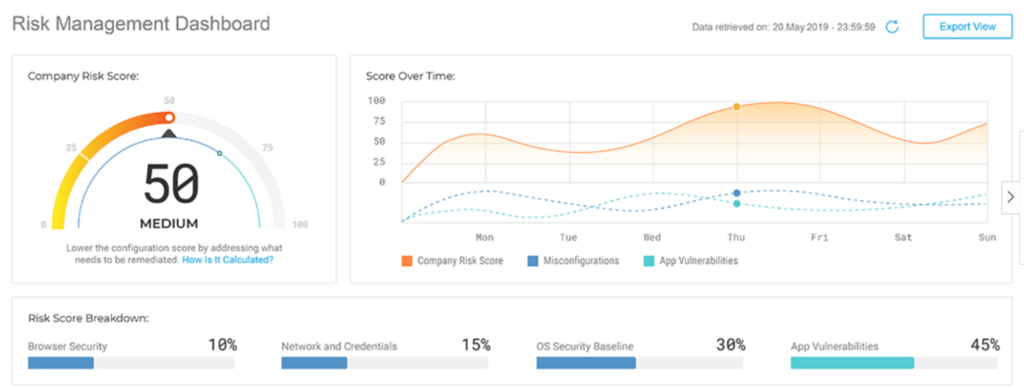
Your IT security team will benefit from visual snapshots and real-time reports for end-user devices and server information. Gain valuable insight on user behavior risks, and fix misconfigurations.

From small offices to large data centers, Bitdefender has an endpoint security solution for everything.

The only real drawback is figuring out which option suits your needs the best. Each software version has so many different features and security benefits; it can be difficult to compare. But with that said, the expert support team at Bitdefender can guide you in the right direction.

Try Bitdefender for free before you buy it.

#2 – Avira Antivirus — Best Endpoint Security Software For Small Business

• Starts at $38
• Email security
• Instant notifications
• Network protection
30 Day Free Trial

Lots of endpoint security software is made with large organizations and enterprises in mind. But Avira Antivirus is specifically designed for small businesses.

The solution is perfect for protecting your business from hackers, ransomware, phishing emails, and viruses. You can use this software to manage all of your devices, PCs, and servers from a single place.

Avira Antivirus can secure small businesses with one device or 1,000+ devices.

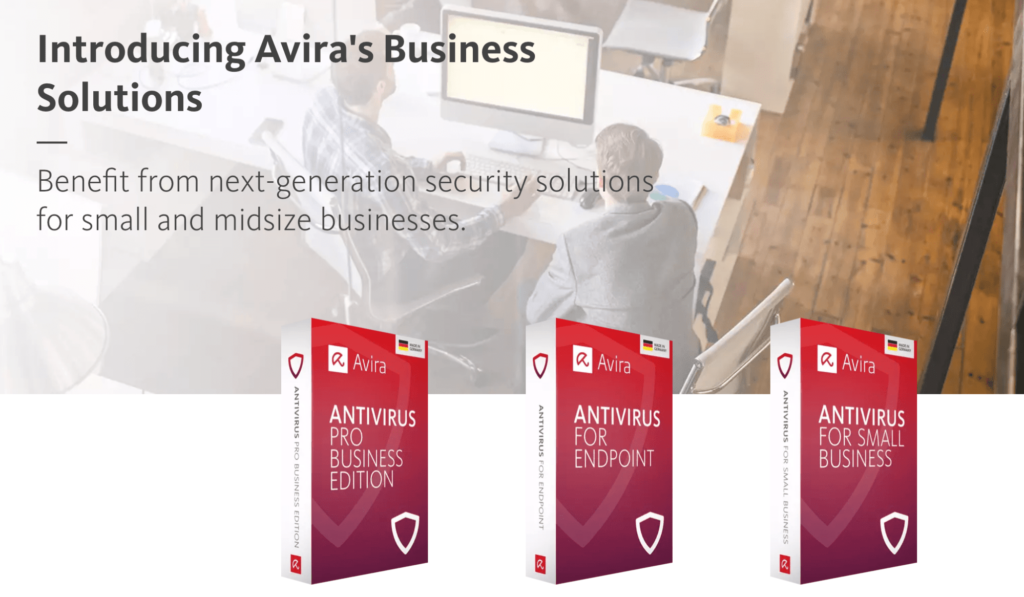
Here’s a quick look at the plans and pricing for Avira’s business solutions:

  • Antivirus Pro Business — $38
  • Antivirus For Endpoint — $142
  • Antivirus For Small Business — $208

The entry-level solution only covers network protection, ransomware protection, and has basic features. Endpoint security doesn’t start until the mid-tier package. Email security is only available for the top-tier plan, which is the software I’d recommend the most.

You’ll also benefit from the Avira cloud, which leverages AI technology to scan multiple devices and analyze behavior.

Avira Antivirus is simple enough for small business owners to manage. You’ll benefit from instant notifications whenever an event occurs. The software also allows you to manage multiple sites or groups directly from your self-managed console.

For those of you who prefer a hands-off approach, Avira has console partners who can handle real-time monitoring for you.

Small business owners that want to secure their workstations, computers, and servers can trust Avira Antivirus for protection. Try it free for 30 days.

#3 – Webroot Business Endpoint Protection — Best For MSPs

• Starts at $30
• PSA, BI, and RMM integrations
• Cloud-based console
• Fast deployment
60 Day Free Trial

Webroot Business Endpoint Protection is built for SMBs and MSPs. As a managed service provider, this solution will help keep you and your clients safe from cybersecurity threats.

The software blocks malicious PowerShell, macros, JavaScript, and VBScript while enabling administrators to detect scripts running in their environment. You can whitelist legitimate scripts as well.

Webroot also prevents file-based attacks and fileless script attacks.

The software is fast to deploy and scans your endpoints quickly as well.

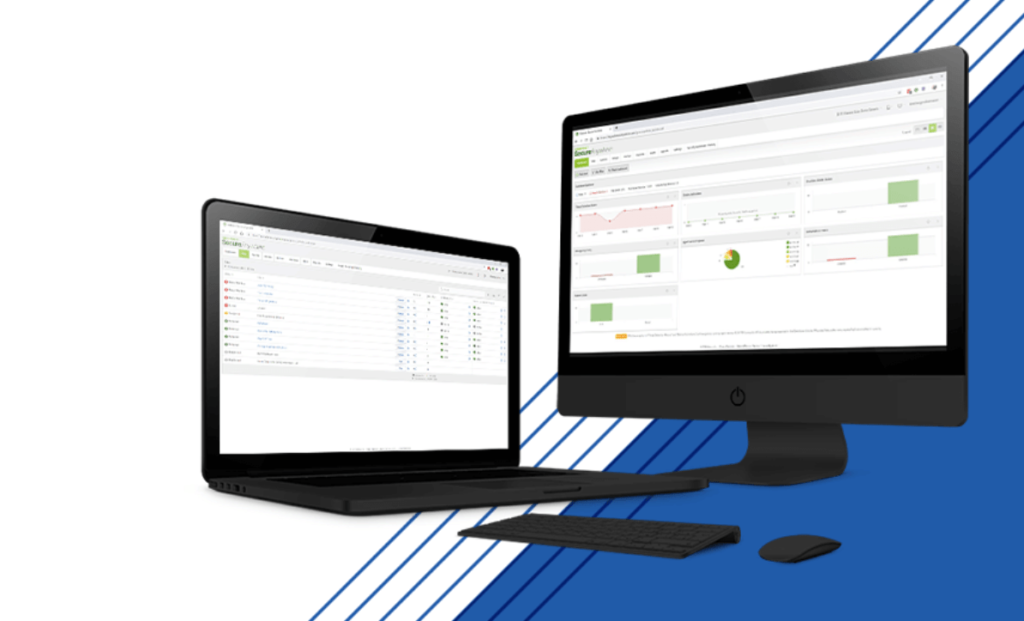
It has a cloud-based console and integrates seamlessly with PSA (professional services automation) software, BI (business intelligence) software, and RMM (remote monitoring management) software. All of these integrations are ideal for managed service providers.

You’ll also benefit from hierarchical views and custom reports. The software is flexible, scalable, and leverages automation.

For such a robust solution, the software is surprisingly affordable. The base software costs just $30 per seat per year. If you’d like to add DNS protection, the upgrade costs an additional $30 per seat per year as well.

Webroot also offers ongoing training, phishing simulations, and compliance training for employees at an additional cost.

Try it free for 60 days.

#4 – Avast Business Antivirus — Best For Cross-Platform Devices

• Starts at $36.99
• Supports Windows, Servers, Mac, and Linux
• Easy to use and deploy
• 30 day money back guarantee
Buy Now

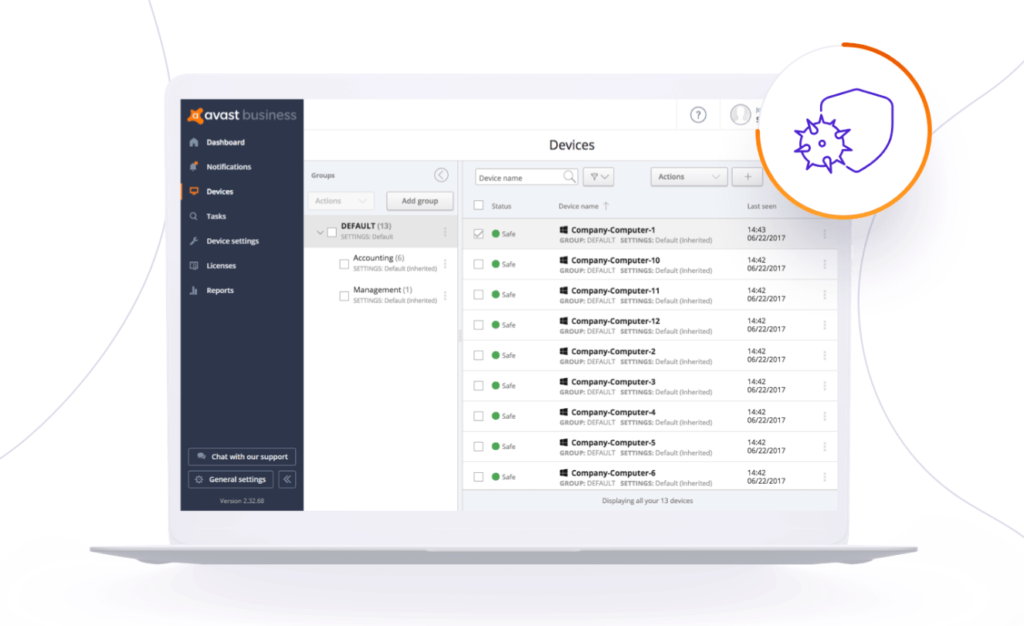
Avast Business Antivirus is an all-in-one solution for managing your data, devices, and users from a single source of truth.

There are different versions of the software that you can mix and match based on the number of devices you have across different platforms—Windows, Windows servers, Mac, and Linux.

Avast’s next-gen antivirus scans files and programs before they open. The software automatically blocks dangerous websites and checks for threats within incoming and outgoing emails. Corporate documents can be stored safely on secure servers with Avast Sharepoint Server Protection.

Here’s a look at the cost per seat for various device protection:

  • Windows — $56.99 per year
  • Windows Server — $46.99 per year
  • Mac — $36.99 per year
  • Linux — $259.99 per year

Avast offers two and three-year options as well at a lower per-year rate. All solutions come with a 30-day money-back guarantee.

Overall, the software is easy to use and deploy. You won’t have to dedicate a ton of in-house resources to cybersecurity. Avast helps you rest easy.

It’s worth noting that Avast has a separate solution for patch management, which businesses commonly add-on to their endpoint protection plan. The patch management is exclusively for windows devices and starts at $29.99 per year.

#5 – Kaspersky Business — Best For All Business Sizes

• Starts at $89.99
• Various software packages
• Supports Mac, iOS, Windows, and Android
• 30 day money back guarantee
30 Day Free Trial

Kaspersky is one of the few endpoint security solutions that offer different packages to meet the needs of various business sizes. They have cybersecurity protection for small businesses, medium-sized businesses, and enterprises.

So whether you have 15 employees or 1,500 employees, Kaspersky has you covered.

With so many software products to choose from, Kaspersky makes it easy to find the most ideal solution for your business. They’ll ask you a few general questions about your IT infrastructure to steer you in the right direction.

For example, you’ll be asked if you have a dedicated IT specialist and how many devices you need to protect.

You can also use the various grids and charts on the product pages to narrow down your options. Kaspersky highlights which products require “advanced IT skills” vs. “general IT skills” and which software “monitors protection” vs. “manages protection.”

Kaspersky supports Windows, Mac, iOS, and Android devices.

Pricing is based on the plan, number of devices, and length of protection. But here’s a look at the starting rates for some of the packages:

  • Small Office Security — $89.99
  • Endpoint Security Cloud — $300
  • Endpoint Security Cloud Plus — $485
  • Endpoint Security For Business Select — $335
  • Endpoint Security For Business Advanced — $575

You can try these solutions free for 30 days. They’re backed by a 30-day money-back guarantee. Kaspersky also has targeted solutions for email servers, Internet gateway, and hybrid cloud systems.

#6 – Trend Micro Apex One — Best For Visibility and Reporting

• Ransomeware protection
• Root cause analysis
• Centralized visual console
• Cloud or on-premises deployment
Start Free Trial

Trend Micro is known for providing enterprise cybersecurity solutions. So it’s no surprise to see Trend Micro Apex One rank so high on our list for endpoint protection.

The software is robust, feature-rich, and easy to use for something with such advanced functionality.

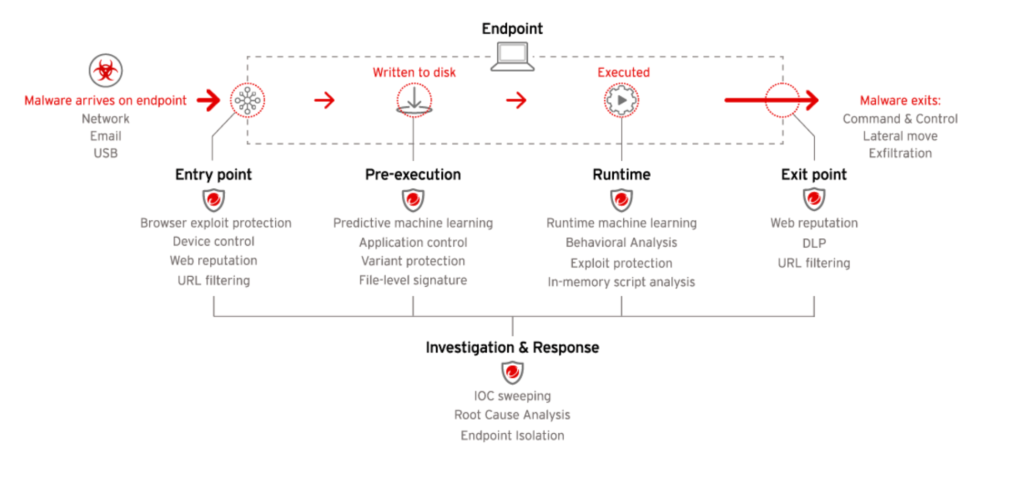
Trend Micro Apex One uses several layers of detection and response to protect endpoints at every stage.

Some of the top features of this software include:

  • Hunt for IOA (indicators of attack)
  • Define hacker’s intent in real-time
  • Sweep user timelines for compromises
  • Interactive root cause analysis
  • Virtual patching capability
  • Physical and virtual device protection
  • Pre-execution and runtime machine learning

Trend Micro protects against advanced malware like ransomware, cryptomining, and fileless attacks. It also protects your endpoints from script injection, memory attacks, and browser-based attacks.

The software’s unique standout is the centralized console, which provides admins with extended control and visibility of the entire organization—across cloud, on-premises, and hybrid models.

Contact Trend Micro to request a free trial and more information on pricing.

#7 – F-Secure — Best Custom Endpoint Security Software

• Cloud or on-site deployment
• Custom policies
• Integrations and API
• Server protection
30 Day Free Trial

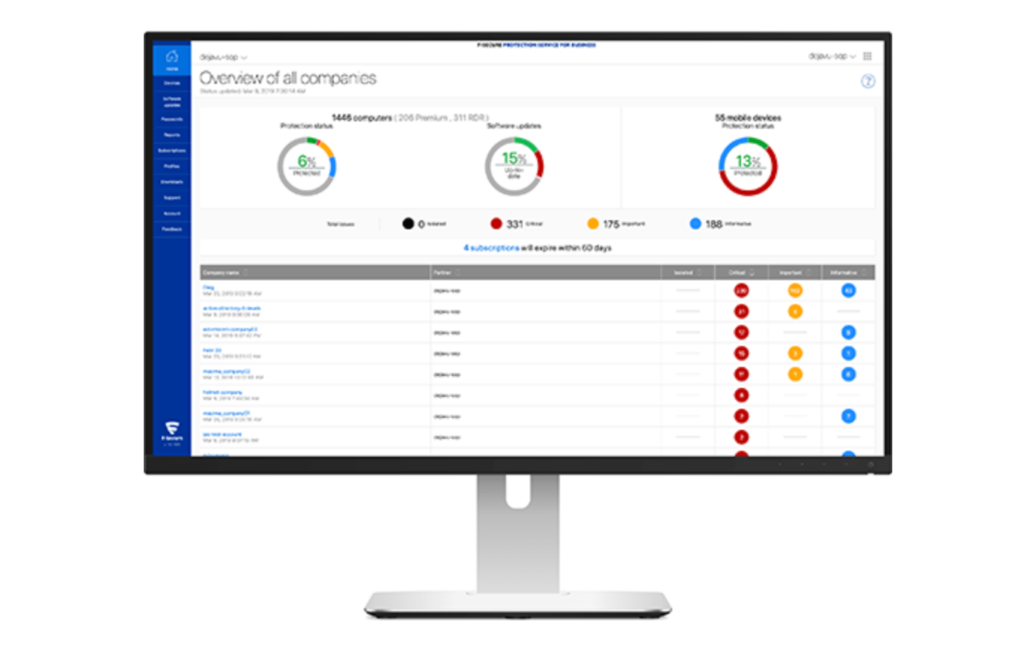
F-Secure offers endpoint security solutions for businesses with advanced needs. This enterprise cybersecurity software protects all of your devices and servers using automation.

With F-Secure, you can choose between cloud or on-site deployment as well.

Some of F-Secure’s top features for endpoint security include:

  • Integration with RMM and SIEM software
  • Management API
  • Custom policies for devices, individuals or groups
  • Automated patch management
  • Automatic security database updates
  • Hardware protection from USBs and webcams
  • Browsing protection
  • Windows, Mac, and Linux workstation security
  • iOS and Android mobile security
  • Server protection

There are three different endpoint security solutions to choose from—F-Secure Protection for Business, F-Secure Business Suite, and F-Secure Rapid Detection & Response.

Try it free for 30 days or schedule a demo to get started.

How to Find the Best Endpoint Security Software For You

There are certain factors that must be evaluated as you’re shopping around for endpoint security software. Here’s a closer look at the methodology that we used to narrow down the winners in this guide.

Device Types

What endpoints are you trying to protect?

Make sure the software you’re considering can secure those devices. From desktops to laptops, mobile devices, and severs, the best endpoint security software provides complete protection. The platform powering those devices must be taken into consideration as well—Windows, Mac, Windows servers, Linux, iOS, and Android all have different requirements.

IT Administration

Some endpoint security software is complicated. Those solutions are designed for IT professionals who are more than just tech-savvy.

If you’re planning to deploy and manage the software in-house, make sure the admins are experienced enough to handle those complexities. With that said, there are some solutions out there designed for smaller businesses that don’t necessarily have an entire IT department.

Make sure you understand the difference between these options.

Dashboards and Consoles

Look for endpoint security software that can provide you with a complete view of your organization and IT infrastructure at a glance. Visual dashboards and reports are typically the best.

The console should be both intuitive and uncluttered.

Customization

You’ll need the ability to make changes on the administrative end.

Maybe you want to set up custom policies for certain groups, departments, individuals, or devices. Making these changes should be easy. Do you want to whitelist certain websites? Do you want application control?

It shouldn’t be difficult to make these types of custom changes.

Deployment

Endpoint security software can be deployed on-premises or through the cloud. Some cybersecurity providers offer both solutions. Which one is right for you?

Larger businesses and enterprises typically lean towards on-site deployment. The same goes for organizations managing their own servers on-site. But cloud deployment is usually fine for smaller organizations.

Conclusion

What’s the best endpoint security software? Bitdefender is our top recommendation.

But there are plenty of other great options for specific use cases.

Small businesses should use Avira Antivirus. Managed service providers would benefit from Webroot Business Endpoint Protection. Kaspersky has a wide range of solutions to accommodate businesses of all shapes and sizes. F-Secure is the best custom endpoint security solution. Try Trend Micro Apex One for the best visual dashboards and reporting.

Regardless of your endpoint security needs, you can find the best software using the recommendations in this guide.


from Quick Sprout https://ift.tt/3hQzaXl
via IFTTT

Best Credit Cards for Startups in 2020

Advertiser Disclosure: Quicksprout has partnered with CardRatings for our coverage of credit card products. Quicksprout and CardRatings may receive a commission from card issuers.
Editorial Disclosure: Opinions, reviews, analyses & recommendations are the author’s alone, and have not been reviewed, endorsed or approved by any of these entities.

Want to jump straight to the answer? The best business credit card for most startups is definitely the Chase Ink Business Cash.

A good business credit card is essential for startups.

From daily purchases like ink or paper to flights, hotels, and your phone subscription, charging a credit card is your best option.

That’s because the best business credit cards offer exceptional benefits like cash back, rewards points, and travel miles.

Some company credit cards can provide purchase insurance as well as supplementary coverage for car rentals. You can even use a low-interest credit card to finance purchases if struggling to qualify for a small business loan.

With so many business credit cards to choose from, it can be tough to find the best option for your startup, which is what inspired me to create this guide.

The 8 Best Credit Cards For Startups in 2020

In a market flooded with hundreds of business credit cards, there are eight that I would recommend for startup companies.

I’ll highlight the top benefits, introductory offers, costs, and notable terms for each one as we continue below.

Best Startup Business Credit Card Reviews

Chase Ink Business Cash

Chase Ink Business Cash Credit Card

Chase Ink Business Cash is the best overall credit card for startup companies. It has exceptional rewards, benefits, and an enticing sign up bonus.

  • No annual fee
  • $500 sign up bonus after spending $3,000 in first the three months

Chase Ink Business Cash card gives you cash back for common startup expenses—which is fantastic.

That includes 5% cash back each year on office supplies, internet, phone services, and cable on the first $25,000 spent in those categories. You’ll also get 2% cash back at gas stations and restaurants on the first $25,000 in combined spending each year.

All other purchases earn 1% cash back with no limit.

Additional features and benefits of the Chase Ink Business Cash card include:

  • Fraud protection
  • Free employee cards with individual spending limits
  • Travel and emergency assistance services
  • Extended warranty protection
  • Zero liability for unauthorized charges
  • Purchase protection (covers new purchases against theft or damage for 120 days)
  • Auto rental collision waiver

Between these benefits, the cash back program, sign up bonus, and no annual fee, Chase Ink Business Cash should be a top consideration for any startup company.

*Terms apply – Learn how to apply online


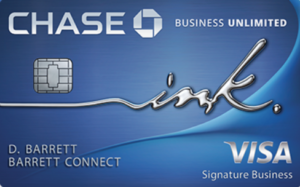
Chase Ink Business Unlimited

Chase Ink Business Unlimited

Chase Ink Business Unlimited is nearly identical to the Ink Business Cash card. The card offers the exact same benefits from fraud protection to the auto rental collision waiver in the bullet list above.

  • No annual fee
  • $500 sign up bonus after spending $3,000 in the first three months

While the benefits and card terms are the same between these two cards, the rewards structure is not.

Instead of offering various cash back percentages for different categories, Chase Ink Business Unlimited gives you 1.5% cash on everything. This is a better option for those of you who don’t want limitations or restrictions on the amount of cash back you can earn.

It all depends on the type of business you have.

For example, let’s say you’re planning to use a credit card to purchase things like inventory or other expenses that don’t fall into the Ink Business Cash rewards categories. In this scenario, Chase Ink Business Unlimited would be a better option for you.

*Terms apply – Learn how to apply online


American Express Blue Business Plus

American Express Blue Business Plus

American Express has one of the best reputations in the credit card industry. For both personal credit cards and business credit cards, Amex is known for exceptional customer service.

If you’re launching a startup, your company should consider the American Express Blue Business Plus card as a top option.

The Amex Blue Business Plus card is great for those of you who want to earn rewards points, as opposed to cash back or travel miles.

You’ll get 2x membership rewards points on purchases in any category for your first $50,000 spent each year. After that, you can earn unlimited 1x points.

Amex gives you expanded buying power, with the ability to make business purchases above your spending limits without a penalty, although restrictions apply.

The card comes with account alerts, online statements, a detailed year-end summary, free employee cards, and one of the best business credit card mobile apps on the market today.

American Express customer service and dispute resolution are second to none. So if you prioritize great customer support, this card is perfect for you.

*Terms apply – Learn how to apply online


American Express Blue Business Cash

American Express Blue Business Cash

If you prefer cash back instead of reward points, consider applying for the American Express Blue Business Cash credit card.

The card terms are basically identical to the Amex Blue Business Plus card. The rewards structure is the biggest difference between the two cards.

With the Amex Blue Business Cash card, you can earn 2% cash back on your first $50,000 in purchases per year. After that, you’ll receive unlimited 1% cash back on everything else.

Other top benefits include:

  • Expanded buying power
  • Car rental loss and damage insurance
  • Global hotline assistance
  • Free employee cards
  • Account manager access
  • Amex Business mobile app
  • Account alerts
  • Vender pay via Bill.com
  • Extended warranty protection for eligible purchases
  • Purchase protection for eligible purchases

Overall, the American Express Blue Business Cash card is arguably the best free cash back business credit card on the market today.

*Terms apply – Learn how to apply online


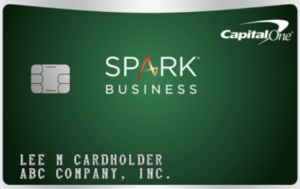
Capital One Spark Cash Select

Capital Oe Spark Cash Select

Capital One Spark Cash Select is another great option for earning cash rewards for all of your business expenses. The card offers unlimited 1.5% cash back on everything you buy.

  • No annual fee
  • $200 sign up bonus after spending $3,000 in the first three months

The card is very similar to the Chase Ink Business Unlimited credit card. Chase does offer a better sign up bonus ($200 vs. $500) for spending the same amount in three months.

With that said, the Capital One Spark Cash Select card has its fair share of benefits.

  • Dedicated business customer support
  • Fraud alerts
  • Free employee cards
  • Payment flexibility (pick your monthly due date)
  • Transaction details
  • Itemized year-end summary
  • Download purchase records into formats for QuickBooks and Quicken

For startup company credit cards, I typically lean towards cards with no annual fee.

But if you want more than 1.5% cash back, consider applying for the Capital One Spark Cash card instead. This gives you unlimited 2% cash back, but comes with a $95 annual fee (waived the first year).

Startups charging less money on their cards will be fine with the Spark Cash Select card.

*Terms apply – Learn how to apply online


Capital One Spark Miles

Capital One Spark Miles

Some people would rather earn travel rewards instead of cash back. So if you’ll be traveling frequently for your startup company, Capital One Spark Miles is a top credit card to consider.

  • $95 annual fee (waived the first year)
  • 50,000 mile sign up bonus after spending $4,500 in first three months

As I mentioned earlier, I normally don’t recommend cards with annual fees to startup companies. But this one is easy to justify if you travel often.

50,000 miles is equal to $500 in travel. Considering that the annual fee is waived the first year, the sign up bonus alone makes up for the first six years using the card.

You’ll also earn unlimited 2x miles on all purchases. There are no blackout dates, seat restrictions, or minimums for redemption.

Other top benefits of the Capital One Spark Miles Card include:

  • $100 credit for TSA PreCheck or Global Entry
  • Earn 5x miles on hotels and car rentals booked through Capital One Travel
  • $0 fraud liability
  • No foreign transaction fees
  • Card lock

If you’re launching a startup that requires lots of business travel, this is the best card for you.

*Terms apply – Learn how to apply online


Capital One Spark Classic

Capital One Spark Classic

To qualify for the best business credit cards, you’ll need to have excellent credit. But that’s not reasonable for all small business owners.

If you have a low credit score but still want access to credit card rewards, the Capital One Spark Classic will be your best option.

  • No annual fee
  • Unlimited 1% cash back on all purchases

While the card doesn’t come with a sign up bonus or low interest rates, you’ll still have access to some of Capital One’s top card benefits.

  • No foreign transaction fees
  • Download purchase records to Quicken and QuickBooks formats
  • Auto rental damage waiver
  • Extended purchase protection (90 days for eligible items)
  • Fraud coverage and alerts
  • Free employee cards

Overall, this is a no-frills business credit card. But it’s a great way to build your credit by using the card responsibly. Plus, you’ll still get 1% cash back on everything.

I’d apply for the Capital One Spark Classic if you can’t get approved for other business credit cards.

*Terms apply – Learn how to apply online


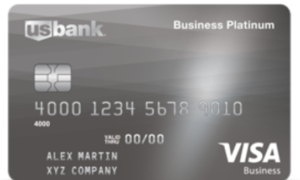
US Bank Business Platinum

US Bank Business Platinum Card

Sometimes a startup company needs to get creative with financing purchases. Certain small business loans have restrictions for what you can spend the funds on.

Credit card financing has become an alternative solution for small business owners. But to consider this, you’ll need to find a card with low-interest rates.

That’s when the US Bank Business Platinum card comes in handy.

The card definitely lacks quality rewards benefits. So I’d only consider it as an alternative financing method.

*Terms apply – Learn how to apply online


How to Choose the Best Credit Card For Your Startup Business

There are certain factors that must be taken into consideration when you’re evaluating business credit cards for your startup. This is the methodology that we used to come up with this guide.

Annual Fee

Most startup companies should look for credit cards with no annual fee. It’s crucial to save money everywhere possible when you’re first starting a business.

Seven of the eight cards on the list above are free. The only one you have to pay for is the Capital One Spark Miles card. But the fee is just $95 per year, waived in year one, and easy to justify for frequent travelers.

Exclusive business credit card fees can range above $500. While you may consider those down the road, I’d steer clear of them in the early stages of your business.

Interest Rates

You should always aim to pay your credit card balance in-full each month. But sometimes cash is tight for startups, so you might have to finance a few purchases.

Look for a credit card offering 0% APR for purchases in your first year. Aim to pay those off before you start incurring additional interest fees.

A low-interest credit card might have cheaper rates than certain business loans. So take that into consideration before making large purchases.

Credit Score

When launching a startup, your personal credit score will be used when you apply for a credit card. That’s because new businesses don’t have any credit records on file.

A high score will give you access to better cards with lower interest rates and top rewards.

However, not everyone falls into this category. If your credit score is below average, there are certain cards that you should be applying for instead. The Capital One Spark Classic is a great example.

Rewards

Credit card rewards usually come in one of the following three formats:

  • Cash back
  • Membership points
  • Miles

I’d recommend cash back rewards cards for most startup companies. The cards on this list range from 1% to 5%. Some have restrictions on how much cash back you can earn, while others are unlimited for all purchases.

A rewards program with miles is ideal if you need to travel often for business purposes. Otherwise, cash back is just fine.

Benefits

Every credit card has a wide range of perks and benefits.

From a sign up bonus to purchase protection and fraud alerts, the list varies by card type and card company. You’ll just have to figure out which benefits are best for your spending habits.

For example, no foreign transaction fees and auto rental waiver insurance shouldn’t win you over if you never rent a car and don’t make purchases in foreign currencies.

Conclusion

Startup companies have unique needs compared to well-established businesses. There are certain credit cards that are ideal for newer small businesses.

Here’s a recap of the top eight that I’d recommend.

All of these cards come with a wide range of benefits for different startup types and spending habits. I’m confident that you can find exactly what you’re looking for on this list.

Advertiser Disclosure: Quicksprout has partnered with CardRatings for our coverage of credit card products. Quicksprout and CardRatings may receive a commission from card issuers.


from Quick Sprout https://ift.tt/3cgYVOJ
via IFTTT